






Astro Loyalty Troubleshooting
⭐ If you're running into problems with the Astro Loyalty integration, there are ways to troubleshoot
 Aug 18, 2026
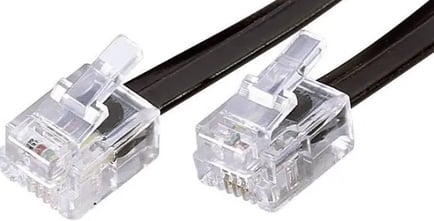
You are able to configure your cash drawer to open automatically when you print a receipt from the eTailPet POS. This article explains how to set up the hardware and software. Take a look!
⚠️Please Note: These instructions are provided for your convenience only. eTailPet does not offer support or troubleshooting for hardware or third party applications. For additional help please reach out to your hardware distributor or the manufacturer.
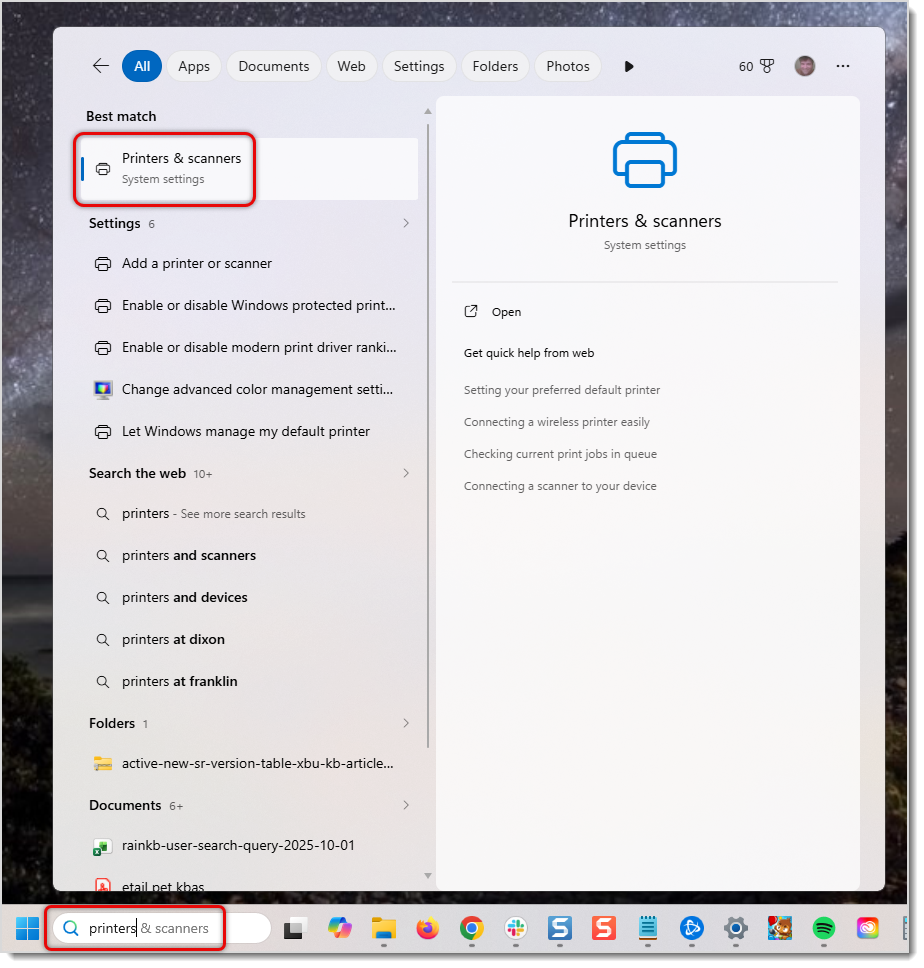
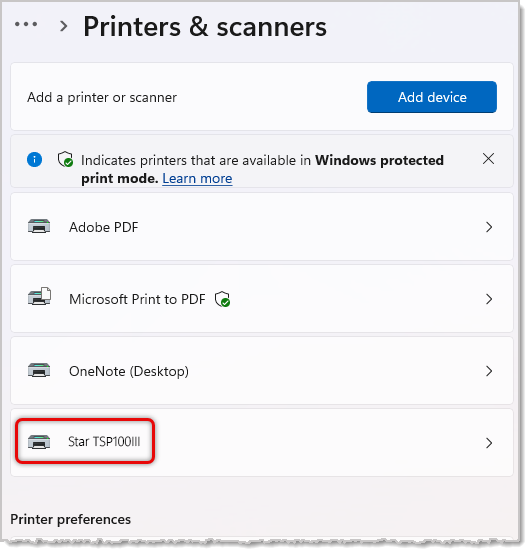
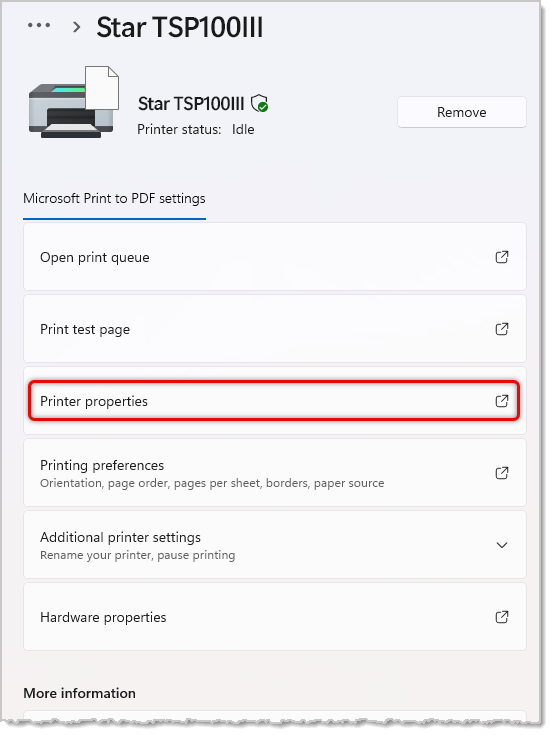
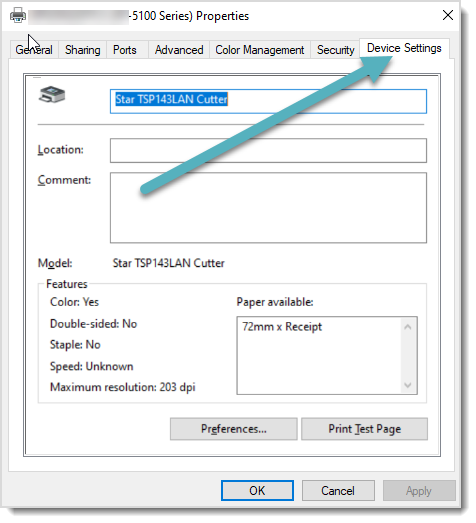
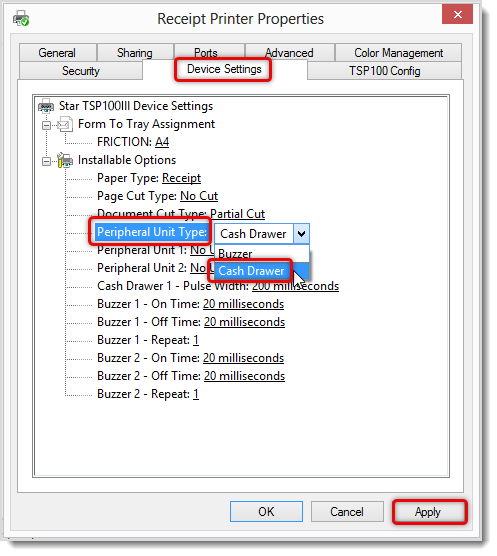
💡Pro Tip: If you want your cash drawer to open before the receipt prints, select Document Top (or Top of Page in some units) in Peripheral Unit 1 and Peripheral Unit 2. If the general troubleshooting steps do not resolve the issue, we suggest contacting a hardware/IT support technician for setup. eTailPet does not offer hardware support. If you have chosen to purchase hardware through our partner POS Guys hardware support is included directly through them.
Hardware Setup and Troubleshooting
WisePOS E / S700 Card Reader Setup
Basic Troubleshooting for Card Readers
Payments Hardware Network Requirements
Q: I have a question, but I can't find my answer here. How do I get more assistance?
A: You can ask any question at the number listed here. Contact our support team at (323) 370-0738 for the U.S. and (888) 370-2363 for Canada.
Is this page helpful?
×Help us improve our articles