






WisePOS E / S700 Card Reader Setup
💳 eTailPet Payments The WisePOS E / S700 card reading terminal is a wireless countertop reader for
 Aug 20, 2026
The Adyen S1F2 terminal is a wireless countertop terminal for Quilt brands such as eTailPet. This card reader accepts chip, contactless NFC, or swipe and comes with an attached thermal receipt printer. Connect it to a local Wi-Fi network, enter the pairing code, and start taking payments in minutes.
The S1F2 device is also low-maintenance with no additional upkeep required. Updates happen automatically using the Wi-Fi network with no interruptions.
To view the terminal’s parts and features, see the Castle S1F2 product sheet.
To load or replace receipt paper in the S1F2 terminal, do the following: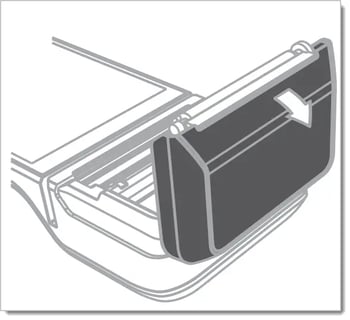
Please Note: If the paper prints blank, swap the direction of the paper.
If the payment terminal is turned on for the first time, or after it was off for a long time, it may need to check for updates, which can take 10 to 20 minutes.
While the terminal is updating, the screen may flash or appear to turn off. Once the update is done, the screen will turn on.
When you first receive the device, it should come partially powered up. Use the supplied wall charger to begin charging the device to full power.
Once charged for at least 30 minutes, press and hold the power button until the display turns on.
If necessary, connect the terminal to a power supply to charge the battery.
Once the device is powered on, press the power button once to sleep or wake the device.
Press and hold the power button until a dialog box appears.
Confirm you want to turn off the terminal.
Please Note: You should power off the terminal every evening and power it on every morning to receive automatic software updates.
The terminal must be connected to the internet before it can be paired or updated. For best performance, it should be connected to the same network as the point-of-sale computer.

Please Note: The Wi-Fi network must use WPA-Personal or WPA2-Personal encryption and be password-protected. Wi-Fi connection is not supported for non-password-protected networks or enterprise networks.
Once the device is powered on and connected to Wi-Fi, it will ask you to select a store. It should appear with your address, but if it doesn’t, you can skip this step until after you pair the terminal.
If the correct details do appear, you should tap the blue arrow to continue.
To pair an S1F2 terminal with eTailPet, do the following:
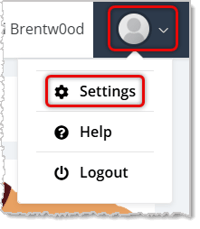

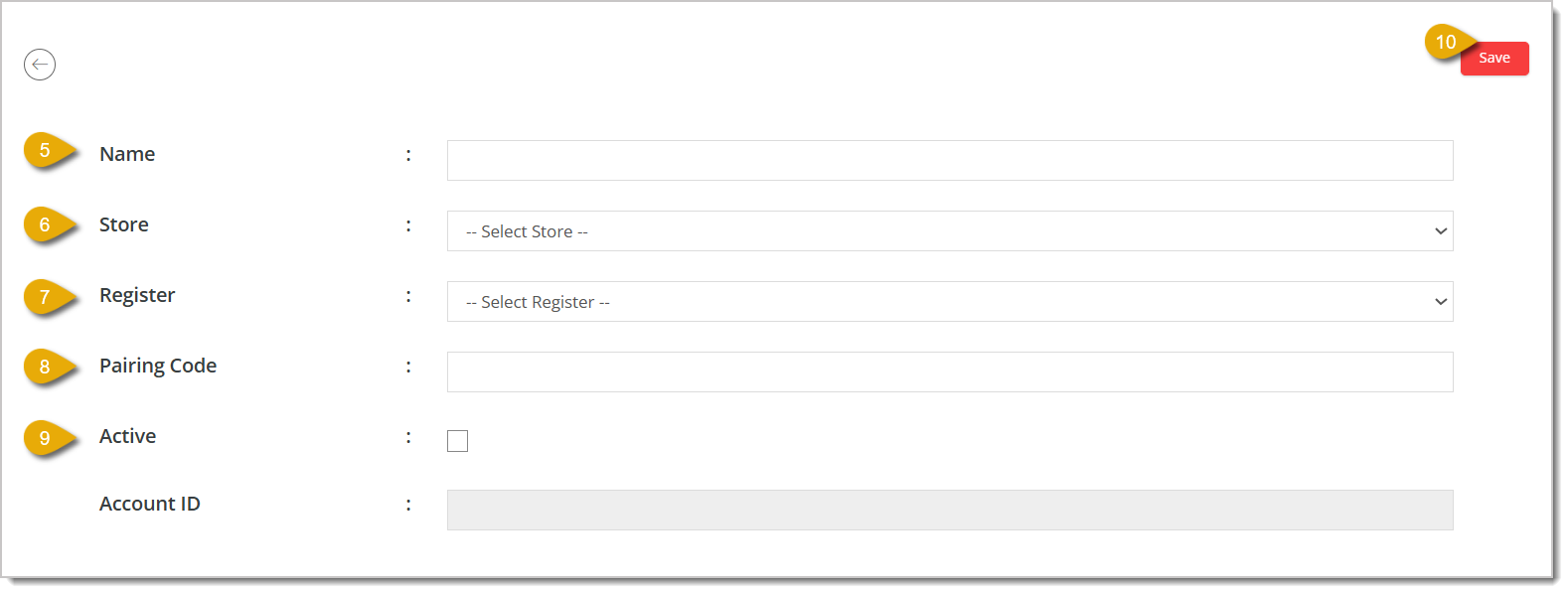
Please Note: The serial number can be found on the box the device came in, the serial number can also be found on the terminal by selecting Settings > Device info.
On the S1F2 terminal, you can open the Settings page by doing the following:
Click on the Gear icon in the bottom-left side of the screen.
Once you click on any of the settings, it will ask for the PIN.
Enter 3191.
Is this page helpful?
×Help us improve our articles