






Payments Hardware Network Requirements
eTailPet Payments card terminals and POS software are cloud-based. A stable internet connection is r
 Apr 21, 2026
💳 eTailPet Payments
The WisePOS E / S700 card reading terminal is a wireless countertop reader for eTailPet Payments. In this article, you will learn how to connect your card terminal to the internet and to your eTailPet POS system.
Boss Quote
Don't let the system ruffle your feathers! You may need instruct your human to wait a few minutes, depending on the size of the spreadsheet they are uploading. Be patient and stay on the lookout for the upload success confirmation popup.
— Oliver, Dubuque, IA

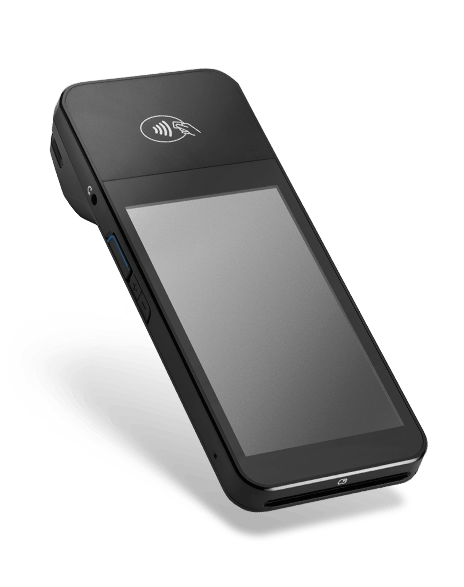
🐱Please Note: This device does NOT support ethernet capabilities. A secure Wi-Fi network is required to
use this device.
Boss Quote
The WisePOS E / S700 is a satisfactory device, but their dev team refuses to add a laser-pointer add-on. For card processing, it will work just fine. Be sure to leave the recharging cord dangling where your boss can paw at it.– Felicity, Scranton, PA
A rechargeable battery, USB to DC cable, and region-specific power plug for charging are included.
When you first receive the device, install the battery. With the back of the device facing you, lift up from the indentation at the bottom left corner to detach the back cover. Insert the battery by sliding it into the exposed slot with the gold connectors at the top aligned. Once the battery is in place, charge the reader. Connect the reader to power by plugging the provided cable into the port with the lightning bolt symbol.
🐱Please Note: The card reader, battery pack, and USB charger should all be included in your box; however, a USB wall outlet is NOT included. You may charge the readers using a USB outlet on your computer or purchase a USB wall charger at most electronics / office stores.
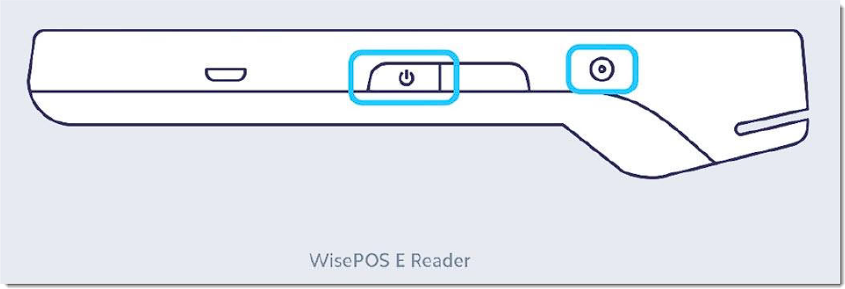
Once charged, hold down the power button on the right hand side until the screen turns on. Once the device is powered on, pressing the power button once will sleep and wake the device. To fully power off the device, hold down the power button until the power off option is shown on the screen, then select it.
💡Pro Tip: Even when it’s not in use, leave the BBPOS WisePOS E / S700 plugged in and powered on to receive automatic software updates.
To set up via Ethernet cable, please refer to the article linked below on the WisePOS E / S700 Dock.
🐱Please Note: Your Wi-Fi network must use WPA-Personal or WPA2-Personal encryption and be password protected. Wi-Fi is not supported for non-password-protected networks or enterprise networks.

Prior to pairing:
1. Be sure your computer and card reader are on the same Wi-Fi network.
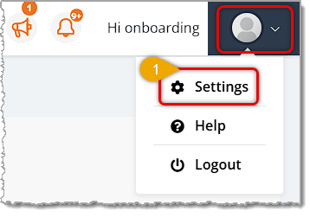
2. Go to the Store Settings in your Dashboard. Then, under Payment Settings for Accept. is this a complete sentence?
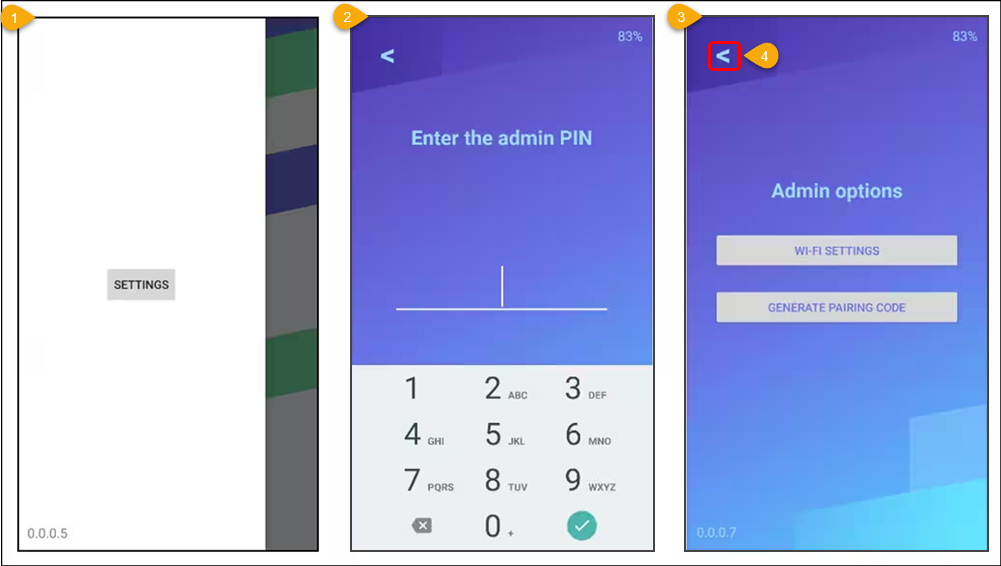
Credit/Debit Card Payments Using, in the drop-down menu select eTP Payments! To open the settings menu swipe right from the left edge of the reader screen to reveal a settings button. Tap the settings button and enter the admin PIN 07139. From here, click on the ‘GENERATE PAIRING CODE’ button. is this supposed to be here?
Here is how to finish setting up your terminal in eTailPet:
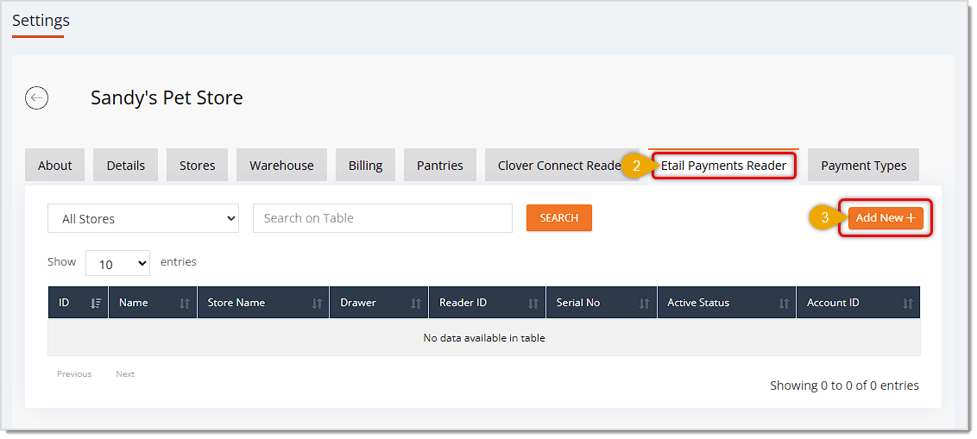
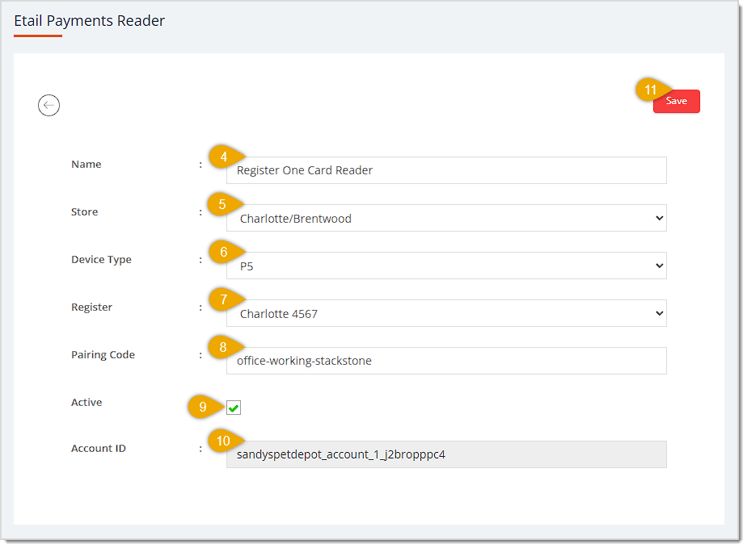
🐱 Please Note: Only one reader can be used per register. If you need multiple readers, you will need to set up multiple registers.
P5: Connecting to the Internet
Basic Hardware Troubleshooting for Card Readers
Q: Where can I find more information about the WisePOS E / S700?
A: To view the terminal's parts and features, see the WisePOS E product sheet.
Q: I have a question, but I can't find my answer here. How do I get more assistance?
A: You can ask any question at the number listed here. Contact our support team at: (323) 370-0738 for the U.S., and (888) 370-2363 for Canada.
Is this page helpful?
×Help us improve our articles