






Booking Schedule
📆 The Schedule page of the Booking area in the eTailPet system allows you to view, create, and mana
 Aug 10, 2026
🖋️ The Waiver of Liability page in the Booking Configuration area allows you to upload a PDF file of a waiver agreement, which customers have to sign and return when they book an appointment at your store. This can help protect you from legal action in case of certain situations. See how easy it can be to set up your waiver!

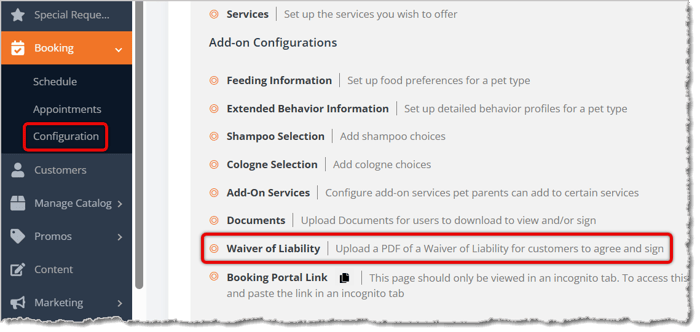
To configure your waiver of liability, go to Booking > Configuration > Waiver of Liability.
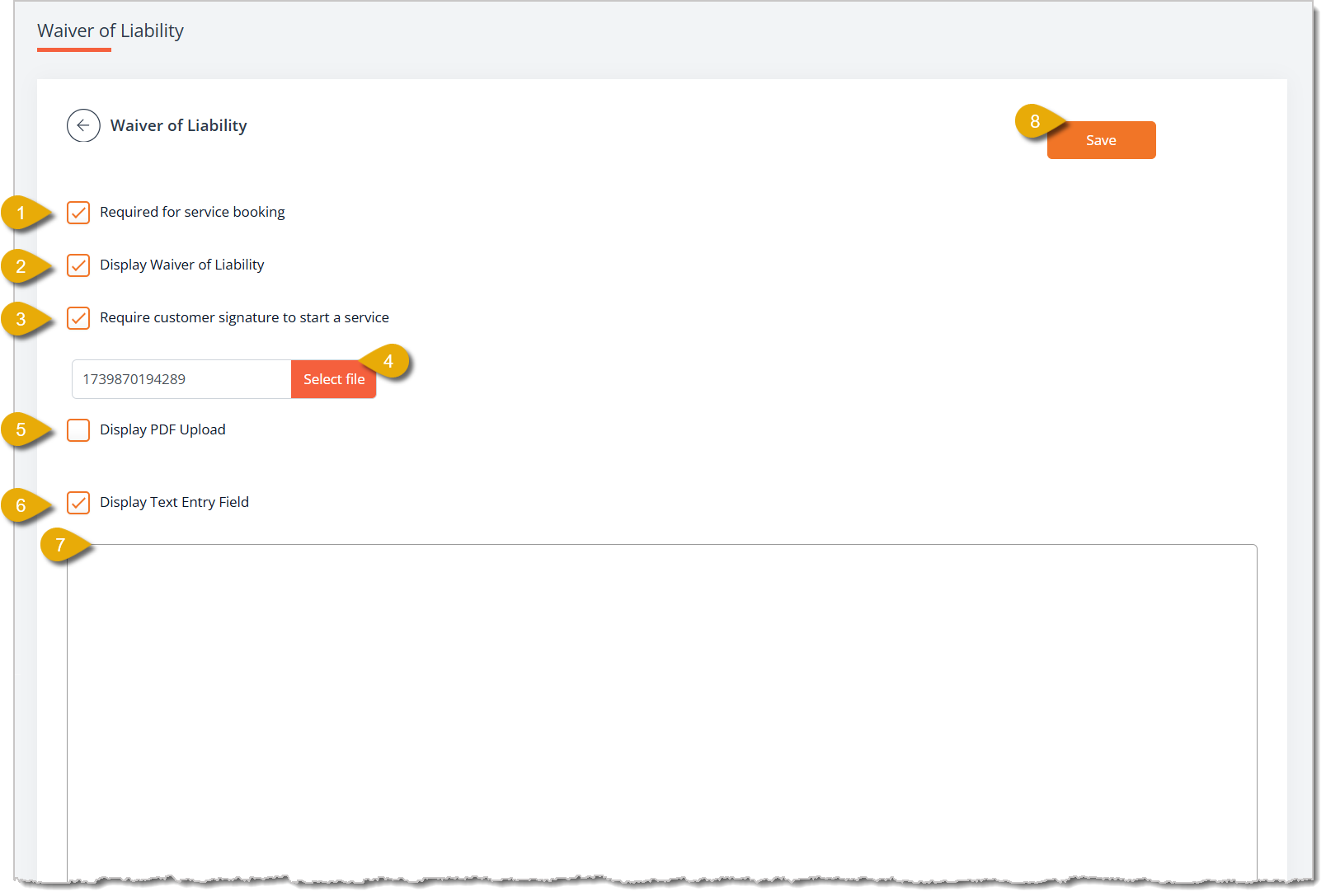
Your Waiver of Liability can display for the customer as a PDF file or as text you enter. It is recommended to use a PDF if you have one, if not, enter your text. You do not need to use both versions. Here is how to set up your Waiver of Liability:
Checking Out a Booking Appointment
Q: What's the difference between Required for Service Booking and Display Waiver of Liability?
A: Display Waiver of Liability controls whether the waiver shows up at all during booking. Required for Service Booking makes reading it mandatory before the customer can complete their booking.
Q: Can I use a PDF upload and a typed-out waiver at the same time?
A: While both can work simultaneously, it is best to use the PDF option if you have such a file. If you don't have one, you should use the text-entry option.
Q: Do I need a customer signature, or is just displaying the waiver enough?
A: That's up to you. Check Require Customer Signature to Start a Service if you also want a signature on file, on top of requiring and displaying the waiver.
Q: What file format does my waiver need to be in to upload it?
A: PDF. Use Upload File and click Select File to choose your PDF.
Q: I have a question, but I can't find my answer here. How do I get more assistance?
A: You can ask any question at the number listed here. Contact our support team at (323) 370-0738 for the U.S. and (888) 370-2363 for Canada.
Is this page helpful?
×Help us improve our articles