






Booking Schedule
📆 The Schedule page of the Booking area in the eTailPet system allows you to view, create, and mana
 Aug 10, 2026
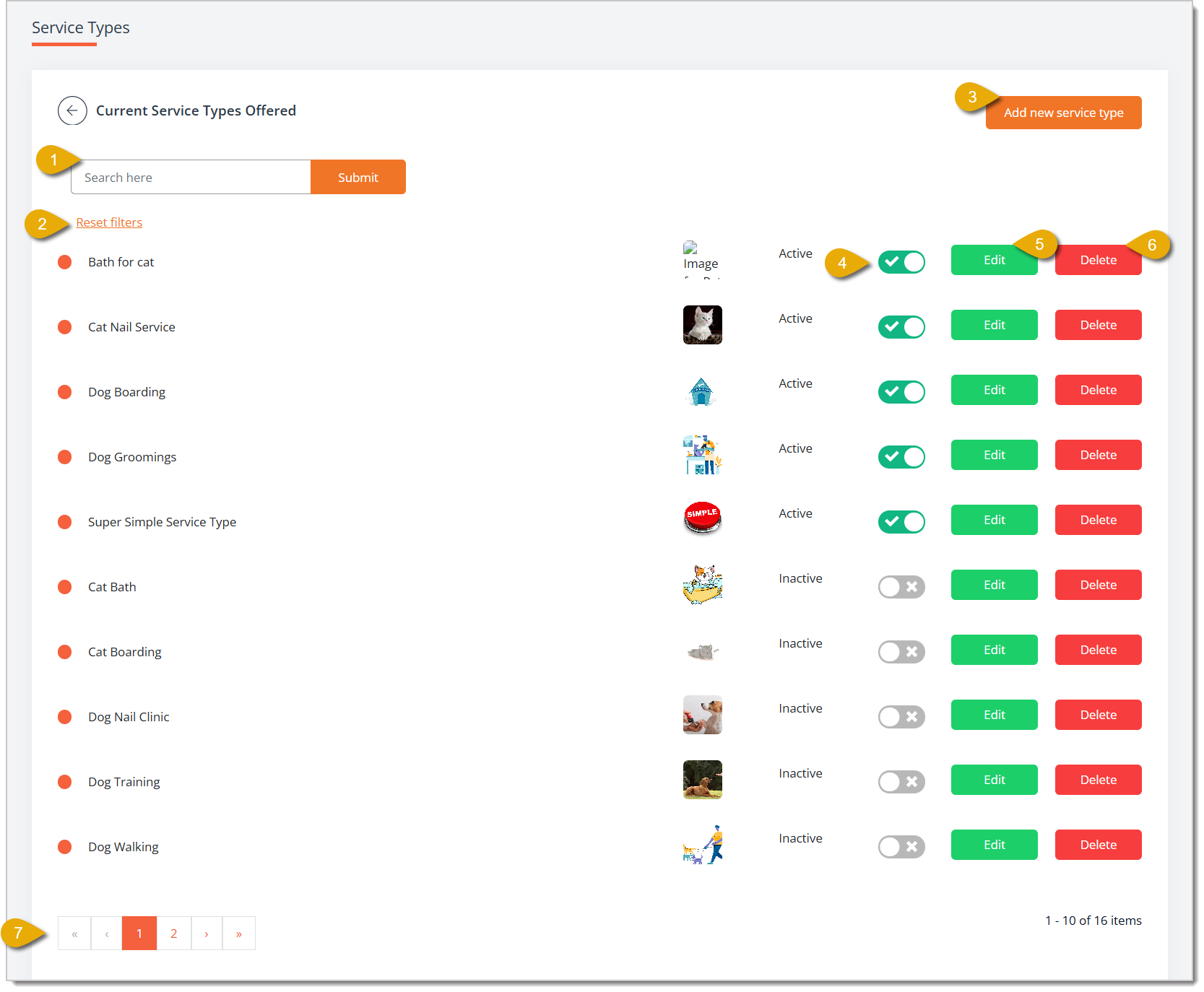
🚿 The Service Types page of the Booking area lists the general categories of services you offer, such as grooming or boarding, and it lets you control which ones are active. You can also add new service types, edit service type details, and more. Take a look at what you can configure with Service Types!

🐱 Please Note: This is not where you configure individual services; that is done on the Services page. Click here to read the Services article.
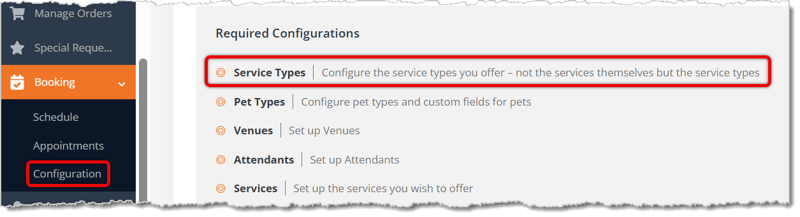
To access the Service Types page, go to Booking > Configuration > Service Types.
Here is how you can use the Service Types page:
Checking Out a Booking Appointment
Q: What is the difference between Service Types and Services?
A: Service Types are broad categories, like Dog Grooming or Dog Boarding, while Services are the more specific bookable offerings from those types, complete with pricing, duration, venue, and attendant assignments.
Q: Where do I actually set up pricing, duration, and venue for a specific service?
A: Not here — Service Types only cover the broad categories. Head to the Services page to configure those specifics.
Q: What happens when I switch a service type to Inactive?
A: It's no longer available to add to an appointment, but it stays in your list so you can switch it back to Active anytime.
Q: Can I upload an image for a service type after I've already created it?
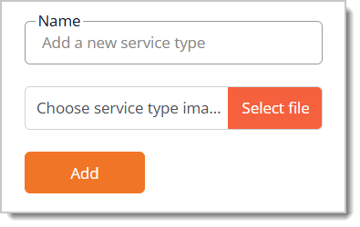
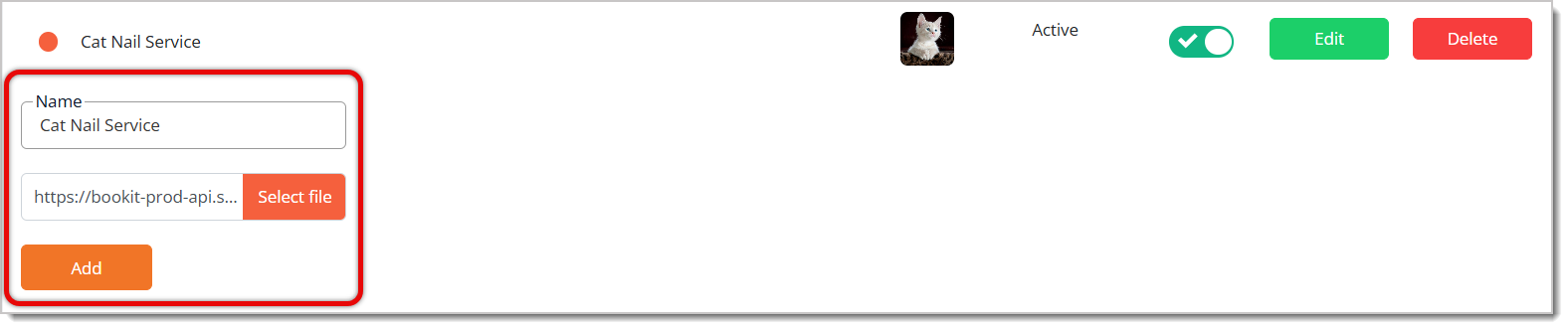
A: Yes. Click Edit next to that service type to reveal its Name and image fields, update the image, then click Add to save.
Q: I deleted a service type by mistake. Can I get it back?
A: No. Deleting a service type is permanent — that's why the system asks you to confirm before it's removed.
Q: I have a question, but I can't find my answer here. How do I get more assistance?
A: You can ask any question at the number listed here. Contact our support team at (323) 370-0738 for the U.S. and (888) 370-2363 for Canada.
Is this page helpful?
×Help us improve our articles