🛁 The Shampoo Selection and Cologne Selection areas let you set up shampoo and cologne add-on options that customers can choose when they book a grooming or spa service. You can add scent options, set a price for each selection (or leave it included at no extra charge), and control which options are available to customers. Take a look at what you can do!
Shampoo Selection
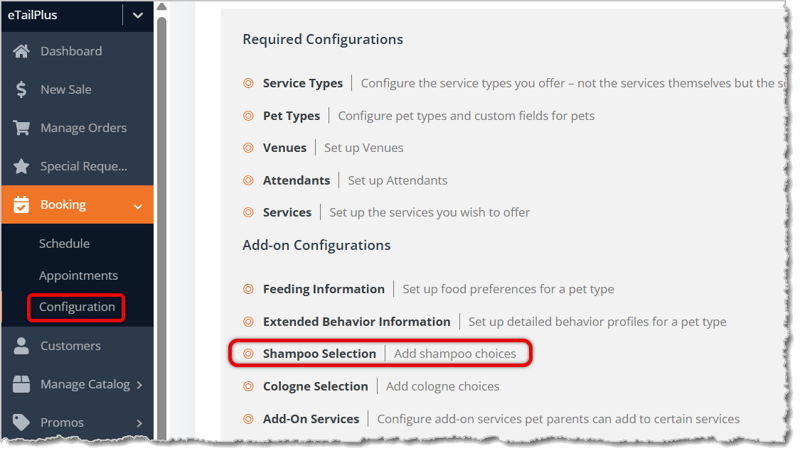
To get to this page, go to Booking > Configuration with the main system menu on the left. On the Booking Configuration page, click on Shampoo Selection.
Here is how to work with your Shampoo Selections:
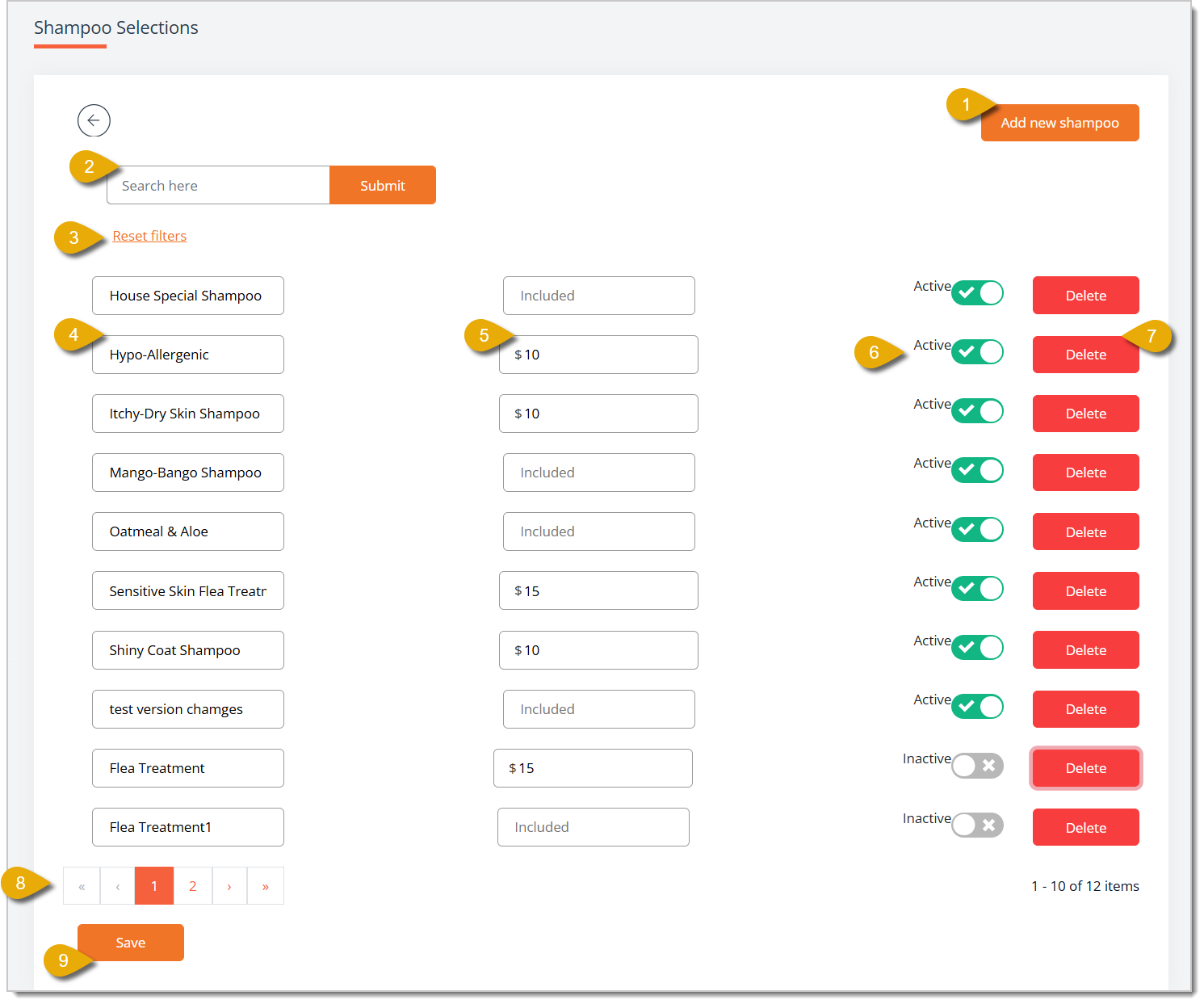
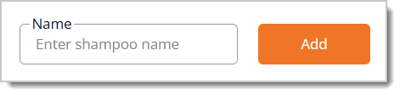
- Add New Shampoo — Click this button to open a Name field above the list. Enter the name of the new shampoo choice, then click Add to add it to the list below.
- Search — Enter the name of a shampoo in this field, then click Submit to find the shampoo in the list.
- Reset Filters — Click this link to clear your search filter and display the full list of shampoos again.
- Shampoo Name — Enter or update the name of this shampoo choice in the corresponding field.
- Price — Enter a dollar amount here to charge extra for this shampoo choice, or leave the field blank so it displays as Included, meaning it requires no extra charge.
- Active/Inactive Toggle — Switch this toggle to Active for a shampoo option so so it's displayed to customers as an option when they book a service, or switch it to Inactive to hide it from the options without deleting it.
- Delete — Click this button to permanently remove the shampoo choice from your list.
- Page Navigation — Click a page number or the arrow icons at the bottom of the list to browse shampoo choices if your list spans more than one page.
- Save — Click this button to save all changes you've made to your Shampoo Selections.
Cologne Selection
To get to this page, go to Booking > Configuration with the main system menu on the left. On the Booking Configuration page, click on Cologne Selection.
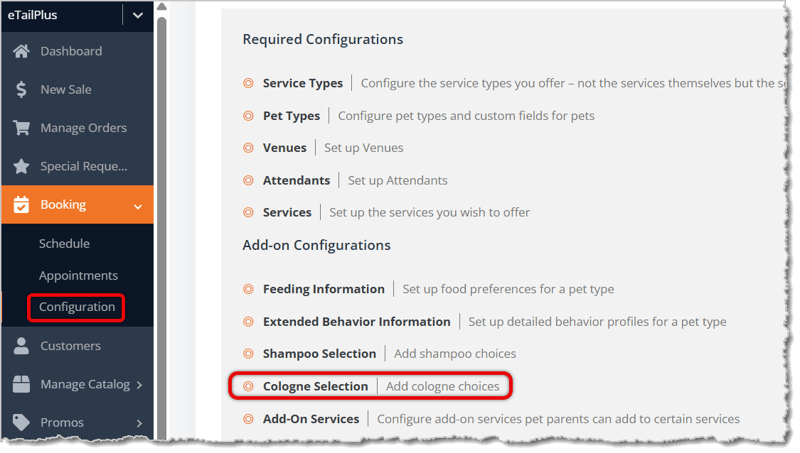
Here is how to work with your Cologne Selections:
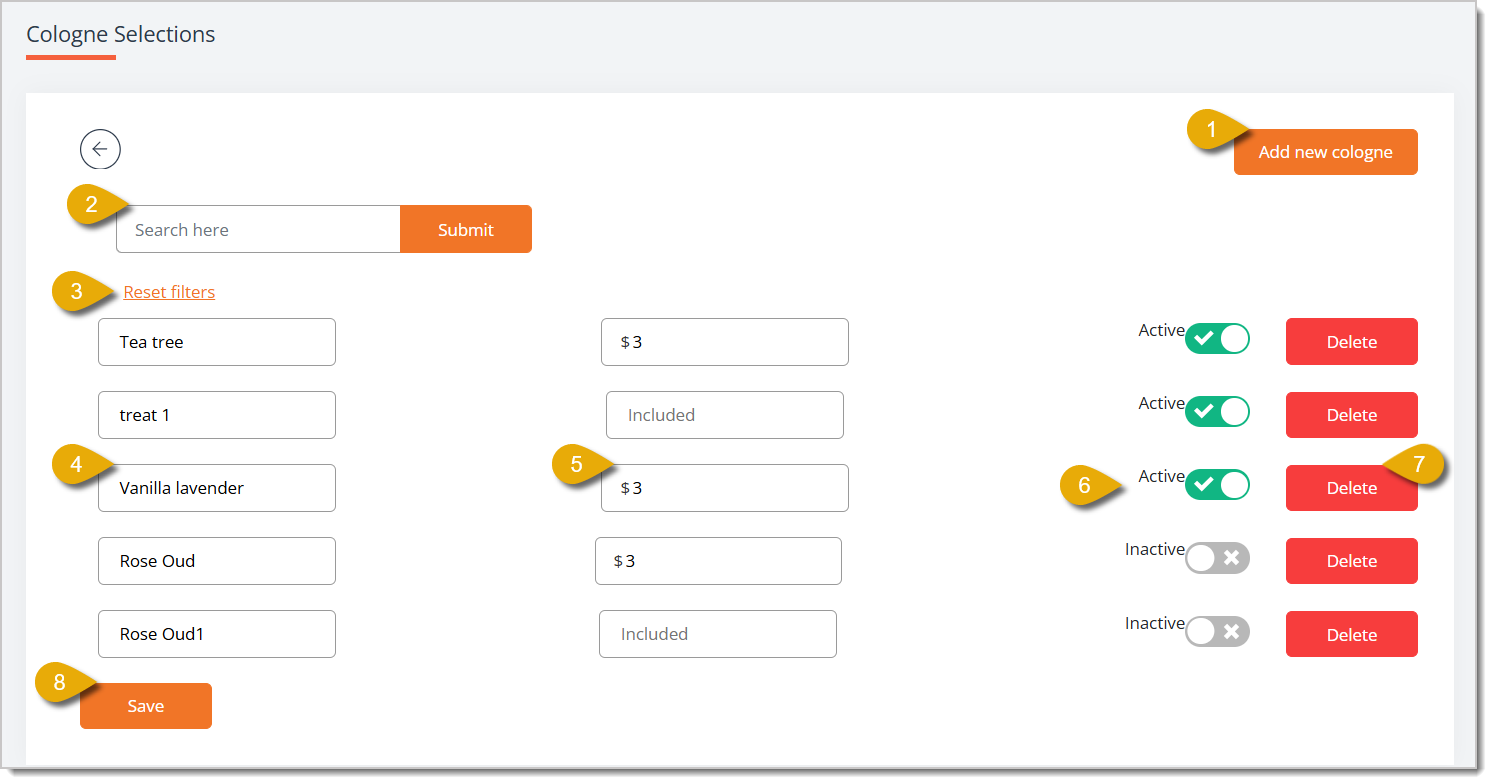
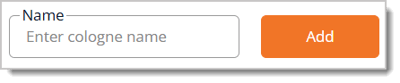
- Add New Cologne — Click this button to open a Name field above the list. Enter the name of the new cologne choice, then click Add to add it to the list below.
- Search — Enter the name of a cologne in this field, then click Submit to find a specific cologne.
- Reset Filters — Click this link to clear your search filter and display the full list of cologne choices again.
- Cologne Name — Enter or update the name of this cologne choice.
- Price — Enter a dollar amount here to charge extra for this cologne choice, or leave the field blank so it displays as Included, meaning it carries no extra charge.
- Active/Inactive toggle — Switch this toggle to Active so the cologne choice is displayed to customers when they book a service, or switch it to Inactive to hide it from the options without deleting it.
- Delete — Click this button to permanently remove the cologne choice from your list.
- Save — Click this button to save all changes you've made to your Cologne Selections.
Related Topics
Attendants
Venues
Add-On Services
Services
Frequently Asked Questions
Q: How do I offer a shampoo or cologne choice for free instead of charging extra for it?
A: Leave the Price field blank for that choice. The field will read as Included, and the customer won't be charged extra when they select it.
Q: How do I temporarily stop offering a shampoo or cologne choice without deleting it?
A: Switch the toggle next to that choice from Active to Inactive. It will no longer appear as an option when customers book a service, but you can switch it back to Active at any time. This is useful if a certain shampoo or cologne is temporarily out of stock.
Q: Do I need to click Save after adding a new shampoo or cologne?
A: Yes. Once you enter a name in the Name field and click Add, the choice is added to your list. Click Save afterward to make sure any other edits you made on the page, such as price or active status changes, are saved as well.
Q: I have a question, but I can't find my answer here. How do I get more assistance?
A: You can ask any question at the number listed here. Contact our support team at (323) 370-0738 for the U.S. and (888) 370-2363 for Canada.







 Jul 30, 2026
Is this page helpful?
×Help us improve our articles