Export Products

May 11, 2026
In the eTailPet system, you can easily export your product data as a CSV or XLSX file. If you want to learn how to import product data, read our article on Adding and Importing Products linked below. Read on to see the export methods that are available to you!

Export Product Catalog
You can export both your public product catalog and your private one.
Public Product Data
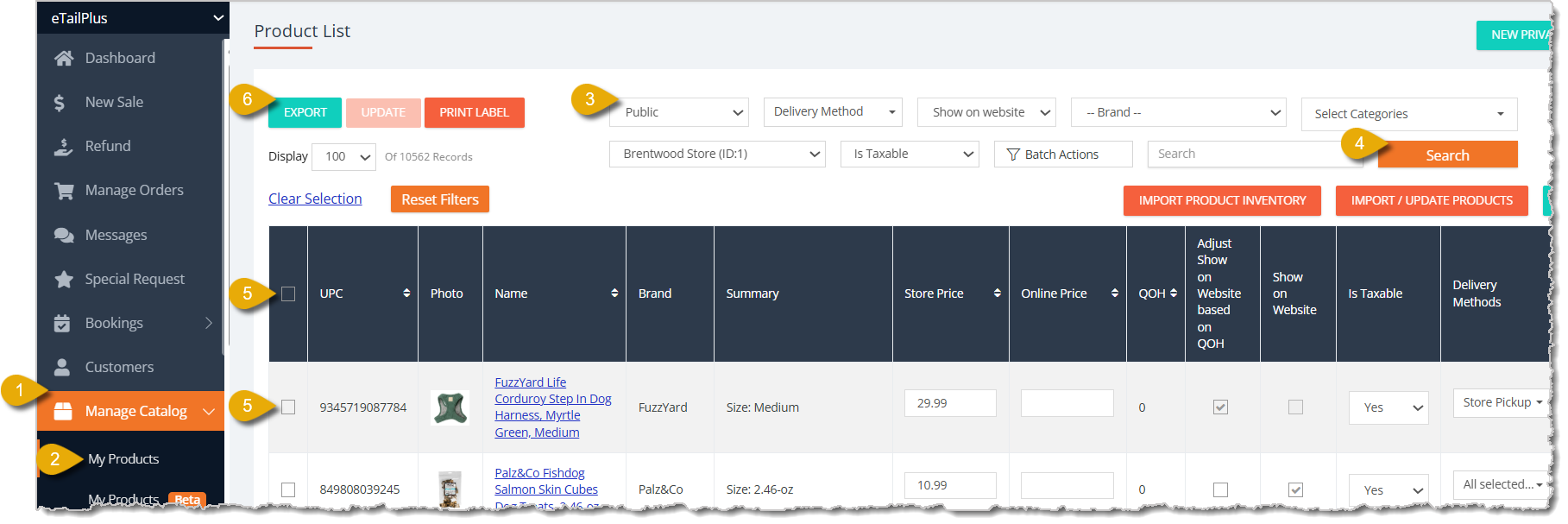
- Click on Manage Catalog in the eTailPet main menu.
- Click on My Products below Manage Catalog.
- Select Public from the drop-list for Catalog Type.
- Click on the Search button to filter the results.
- Select the products you want to export by clicking on the checkboxes for individual items, or click on the checkbox in the column header to select all items displayed on the page.
- Click on the Export button on top left of My Products.
- Click on CSV or XLSX to select your exported file's format.
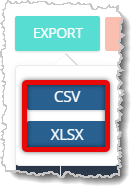
- Save the file to your device.
Private Product Data
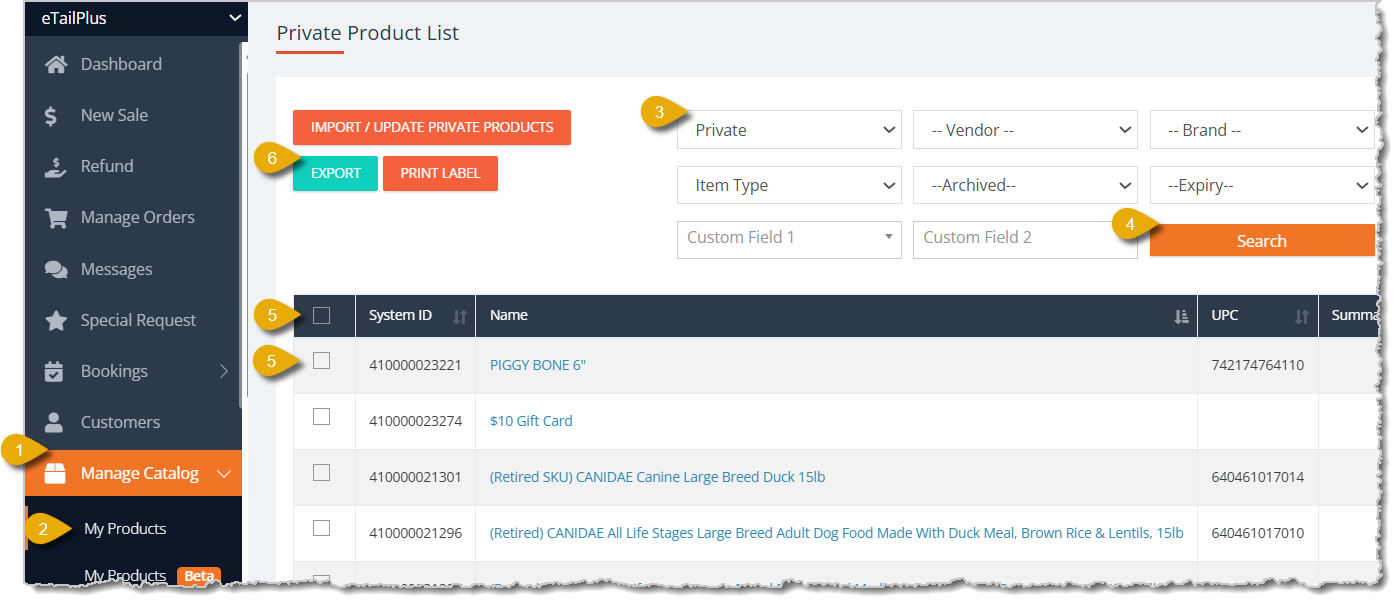
- Click on Manage Catalog in the eTailPet main menu.
- Click on My Products below Manage Catalog.
- Select Private from the drop-list for Catalog Type.
- Click on the Search button to filter the results.
- Select the products you want to export by clicking on the checkboxes for individual items, or click on the checkbox in the column header to select all items displayed on the page.
- Click on the Export button on top left of My Products.
- Click on CSV or XLSX to select your exported file's format.
- Save the file to your device.
Related Topics
Adding and Importing Products
Batch Cost and Price Updates
Importing Products Best Practices and Troubleshooting
Imports and Exports Overview
Import and Export Customers
Frequently Asked Questions
Q: I have a question, but I can't find my answer here. How do I get more assistance?
A: You can ask any question at the number listed here. Contact our support team at (323) 370-0738 for the U.S. and (888) 370-2363 for Canada.
😸You can use Batch Actions to edit details for a group of data so you don't have to manage records
🖨️Shelf labels indicate product names and their prices to your customers on your shelves, so it's i
💻Product labels are automatically generated by the eTailPet system whenever you make changes to pro







Is this page helpful?
×Help us improve our articles