






Customers in New Sale
The eTailPet system has useful and easy functionality for working with your customers in New Sale. T
 Jul 16, 2026
⭐ There are multiple ways for you to integrate the Astro Loyalty program to the eTailPet system. This article covers setting up your credentials so you can connect to the Astro API, along with some tips before you start the integration. Learn how to do this yourself!
Click here to learn how to connect a customer to Astro from New Sale and how to ring up Astro Rewards redemptions.

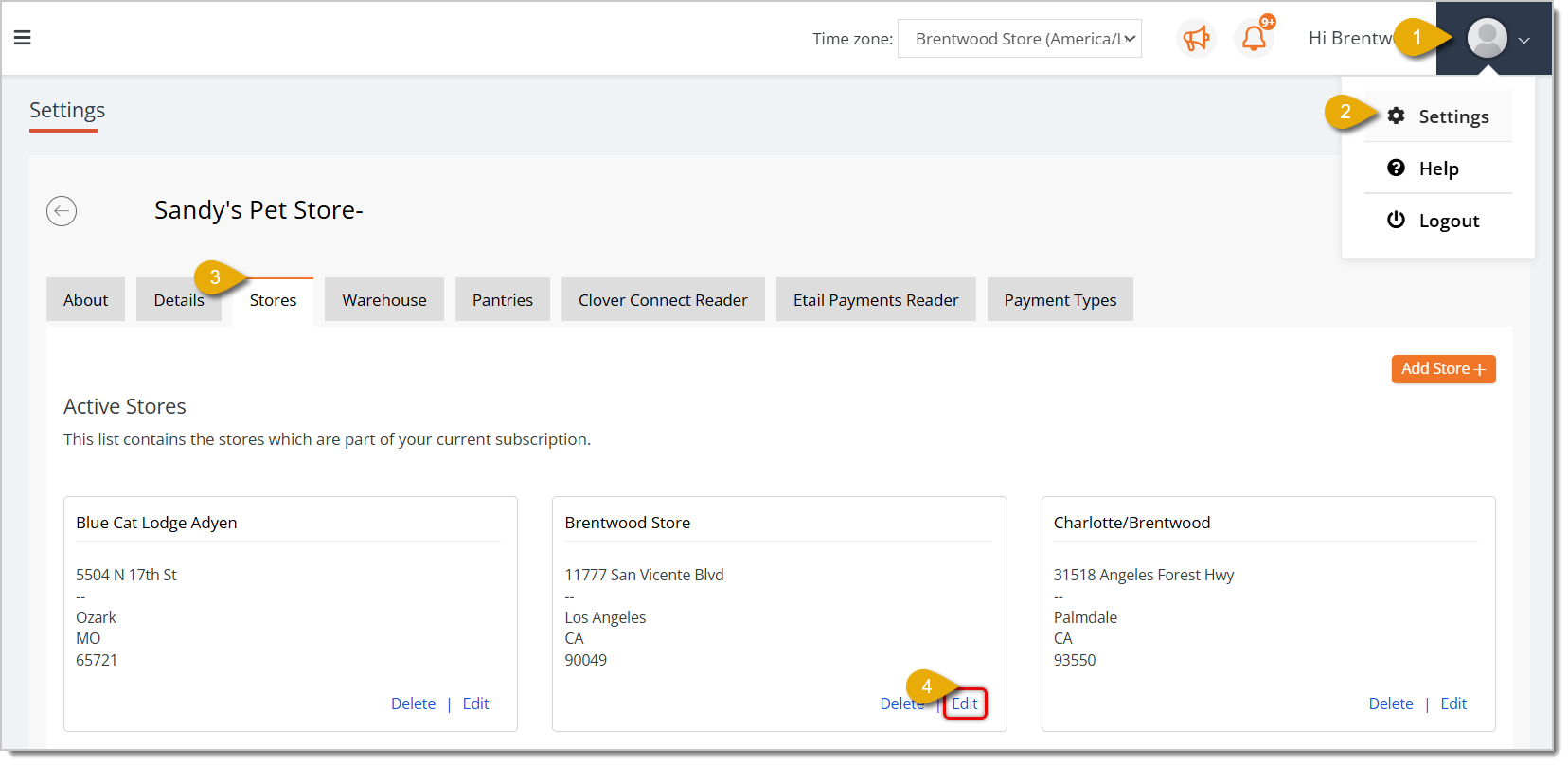
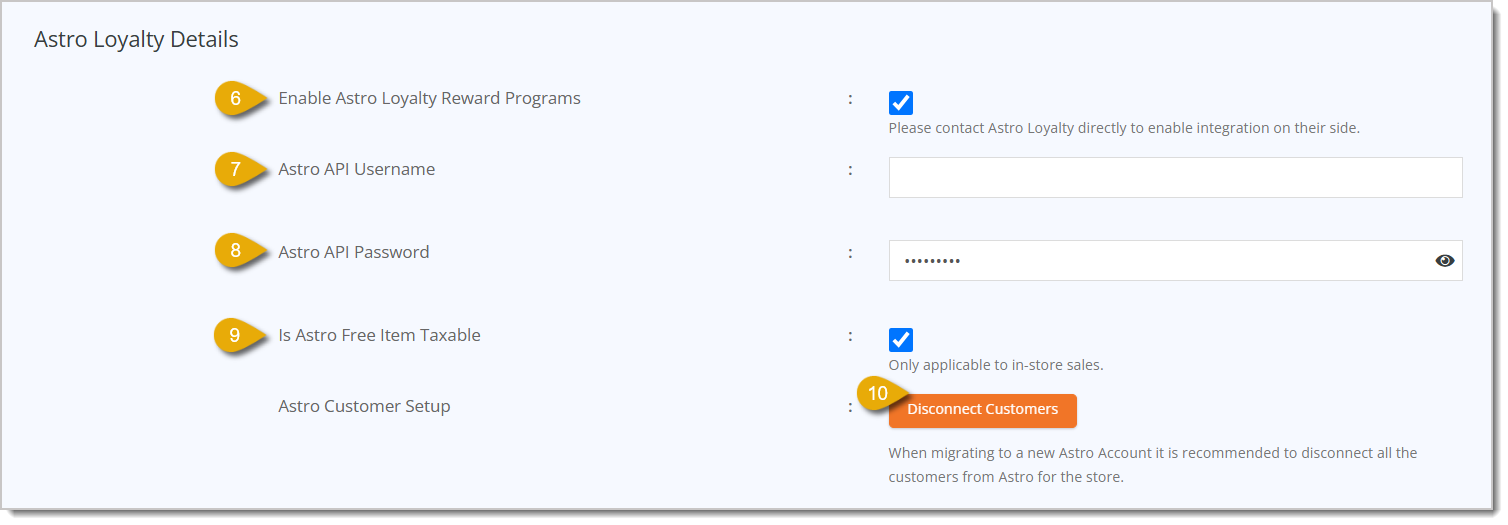
Follow these steps if you have just one store for which you're setting up Astro Loyalty:

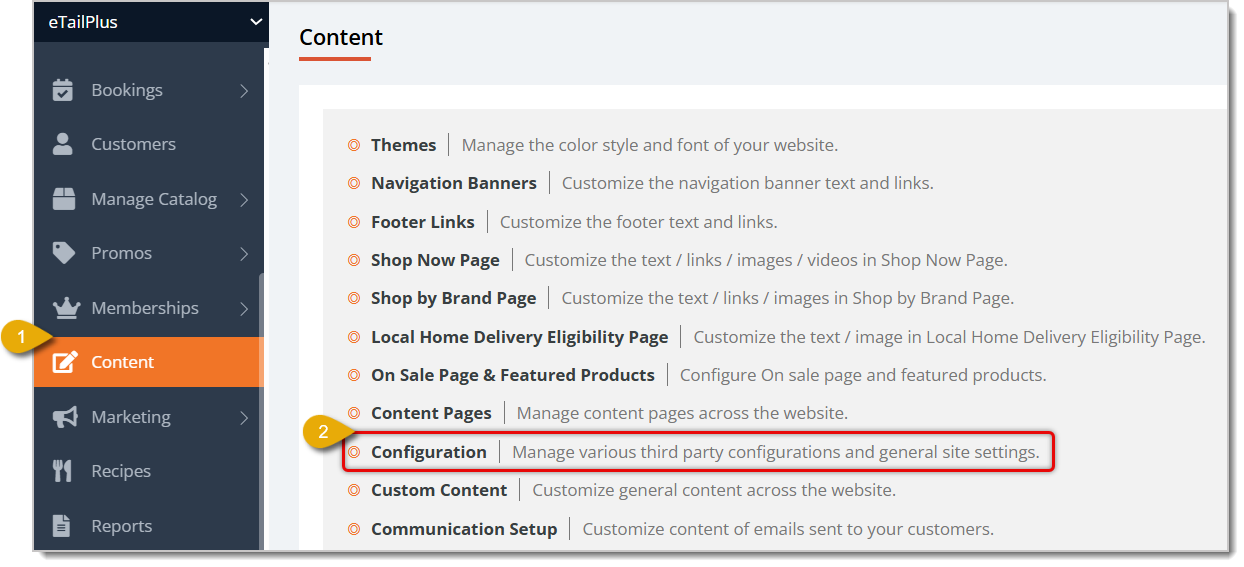
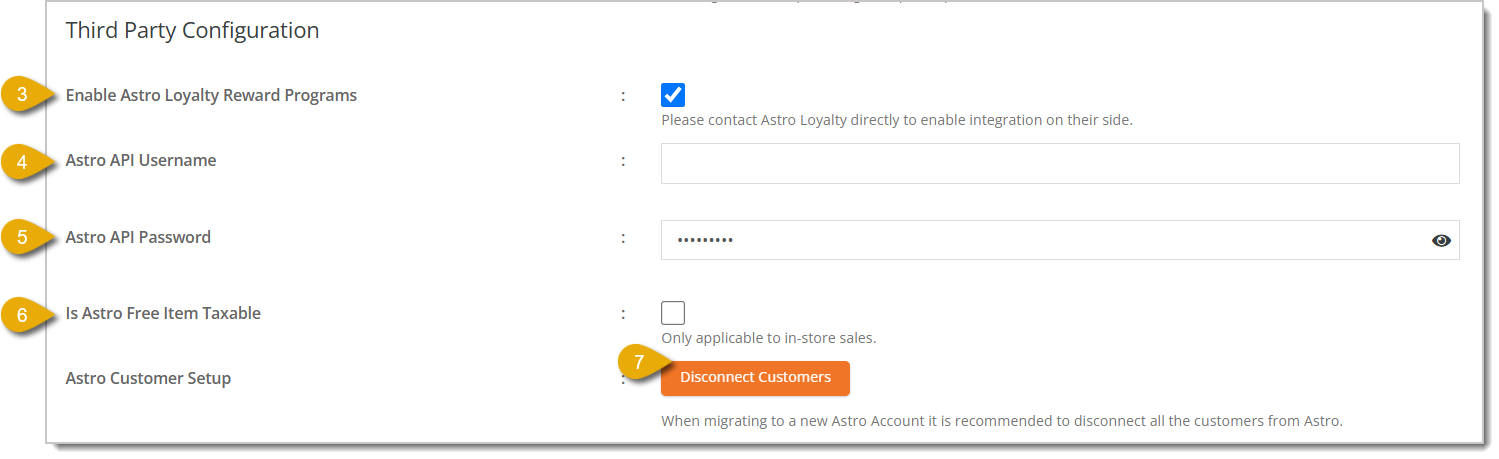
If you have multiple stores you want to set up with Astro Loyalty, do the following:
💡Tip: Astro discounts (Frequent Buyer Card redemptions, offers, and loyalty rewards) can be stacked with price slashes and “Customer Type” discounts, like senior discounts (click here to learn about Customer Types), but they cannot be combined with promo codes. Also Astro Frequent Buyer Card (FBC) redemptions and Astro offers can be stacked together in one transaction, but only if they are part of separate programs.
Can be stacked example: You're enrolled in an Astro FBC program for Canidae dog food (buy 12 get 1 free, for example). If you're also enrolled in an Astro Boss Dog food offer (like a $4 discount per item), a customer can redeem both discounts in the same transaction. They will get a free bag of Canidae dog food, as well as $4 off their Boss Dog dog food.
Cannot be stacked example: You're enrolled in an Astro FBC program for Canidae dog food (buy 12 get 1 free, for example). If you're also enrolled in an Astro dog food offer from the same brand, Canidae (like a $4 discount per item), a customer cannot redeem both discounts in the same order. In this case, please complete the free redemption in a separate transaction.
💡Tip: Discounts that customers redeem through Astro are typically reimbursed by the manufacturer. For this reason, the tax collected for each transaction is calculated pre-discount.
Example Scenario:
Customer’s cart contains Product A (Product price = $10)
Tax Rate = 5%
Astro FBC redemption gets applied to Product A, bringing the gross total to $0.
Taxable Total = $10 (calculated pre-discount because the discount is reimbursed by manufacturer)
Tax Collected = $0.50 (5% tax rate multiplied by $10 product)
Total Collected = $0.50; the customer still has to pay $0.50.
Astro Loyalty Customer Connection
Q: What do I do if I encounter issues with the Astro integration passing information to the eTailPet system?
A: If something goes wrong with the customer information from Astro Loyalty, we recommend contacting support@astroloyalty.com since Astro-specific information is passed electronically via API to eTailPet.
Q: How can a customer sign up to be an Astro Loyalty member?
A: As long as your eTailPet store is integrated with Astro Loyalty, and you add a customer's email address and phone number, any new customers will be automatically connected to the loyalty program. Click here to learn how to connect an existing customer.
Q: I have a question, but I can't find my answer here. How do I get more assistance?
A: You can ask any question at the number listed here. Contact our support team at (323) 370-0738 for the U.S. and (888) 370-2363 for Canada.
Is this page helpful?
×Help us improve our articles