






Customers in New Sale
The eTailPet system has useful and easy functionality for working with your customers in New Sale. T
 Jul 17, 2026
⭐ After you've set up your Astro Loyalty integration, you can connect your customers to the Astro Loyalty Program. This article covers connecting customers with two methods: adding through the New Sale page or using the dashboard's Customers page. Learn how to do each method!
If you haven't already, you will need to integrate Astro Loyalty to your eTailPet store first. Click here to learn more.

The New Sale method works best if you're already working with a customer's transaction. A customer must have both an email address and phone number connected to their account to get connected to Astro Loyalty.
When you add a new customer and include the email address and phone number, they should be automatically connected to Astro Loyalty. Here's how to do it:
Click on New Customer to open the Add New Customer window.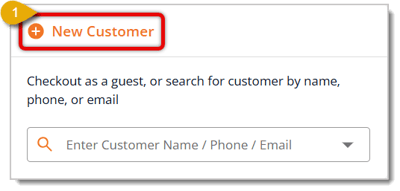
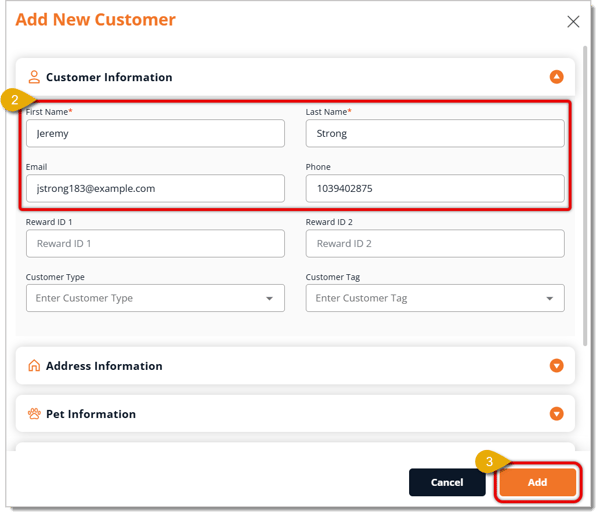
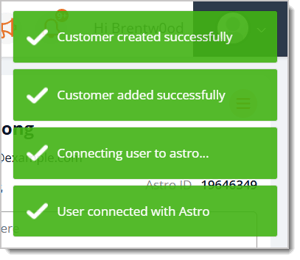
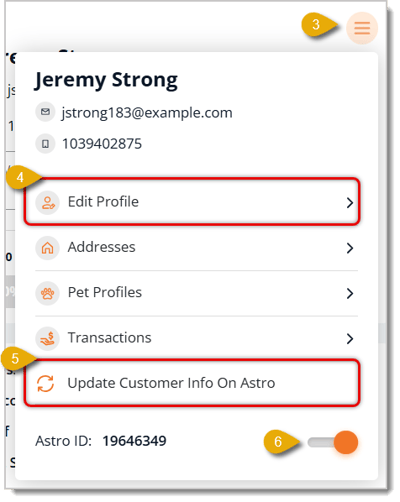
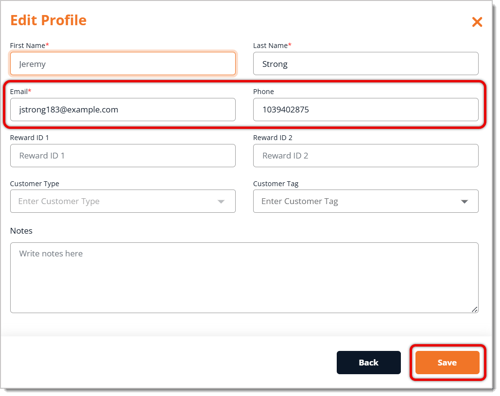
If, for some reason, a customer's Astro Loyalty record isn't updated in your eTailPet store, you can have it automatically update as long as the integration is live. Here's how:
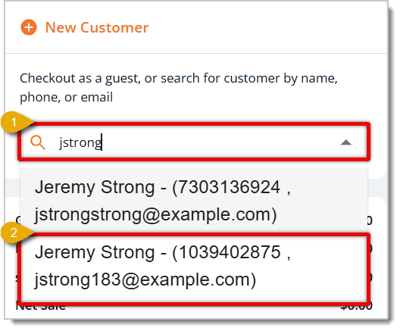
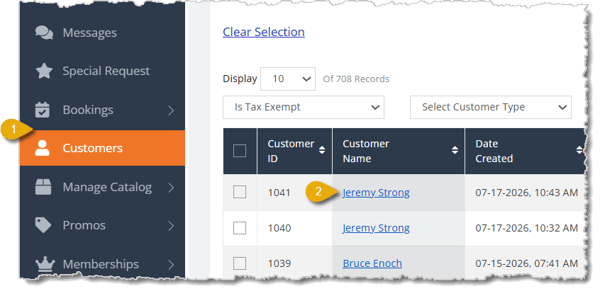
You can update Astro Loyalty for a customer in the Customers Page. There are multiple ways to do that: with the Astro ID, email address / phone number, or Easy Connect. Before any of that, though, you first need to open the customer's details and Astro Loyalty Integration information.
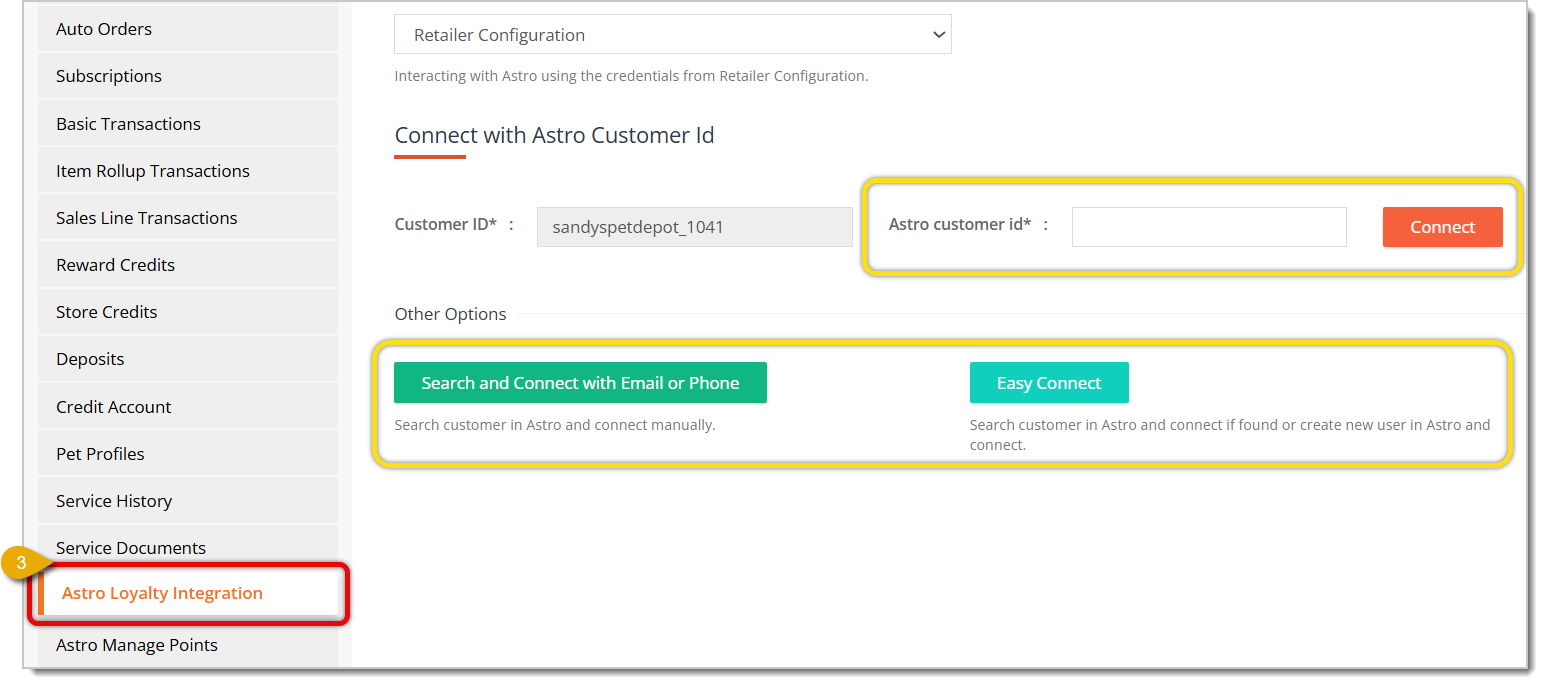
If the customer already has an Astro ID in the Loyalty system, you can copy and paste that to connect the customer. Do the following:

You can also use the customer's email address or phone number to find their record in the Astro Loyalty Program, then connect it.
🐱 Please Note: If you edit a customer's email address or phone number here, you will also need to update them in their customer details by doing the following: Go to Customers > Click on a customer's name > Go to Customer Info tab > Fill out Email and Phone. Click here to learn more about updating customer details.


If you can't find the customer using either of the above methods, you can try Easy Connect. This will make the system search for a matching customer and connect their Astro Loyalty information.
Click on the Easy Connect button. The connection will happen automatically.
If the customer is successfully connected, you'll see a confirmation at the top of the page.
Astro Loyalty for Your Online Store
Q: What do I do if I encounter issues with the Astro integration passing information to the eTailPet system?
A: If something goes wrong with the customer information from Astro Loyalty, we recommend contacting support@astroloyalty.com since Astro-specific information is passed electronically via API to eTailPet.
Q: I have a question, but I can't find my answer here. How do I get more assistance?
A: You can ask any question at the number listed here. Contact our support team at (323) 370-0738 for the U.S. and (888) 370-2363 for Canada.
Is this page helpful?
×Help us improve our articles