Email Report

Jun 10, 2026
📧 The Email Report in the eTailPet system will show you the activity of automated emails and emails you send out to your customers. You can view open and click rates for your emails and use those numbers to determine what is succeeding and what isn't. See how you can use this report to make better informed decisions!

Viewing the Email Report
To view the Email Report, do the following:
-
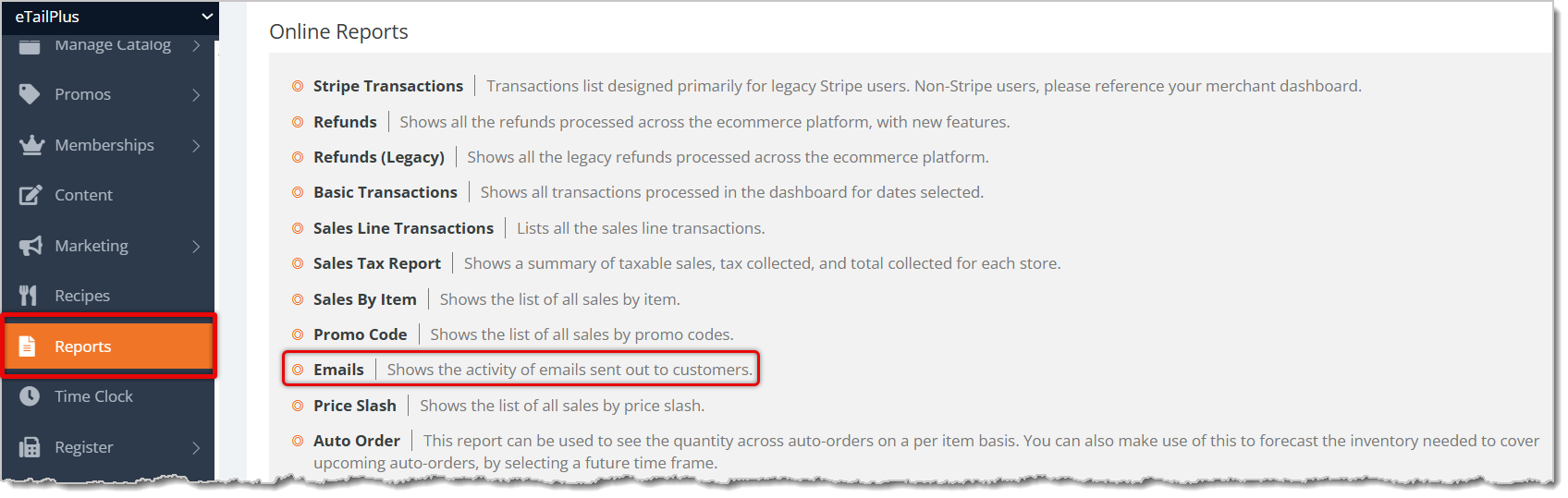
Go to Reports from the main menu.
-
Scroll down to the Online Reports section in the Reports menu.
-
Click on Email. You will be directed to your Email Report.
This is everything available for you to view in the Email Report:
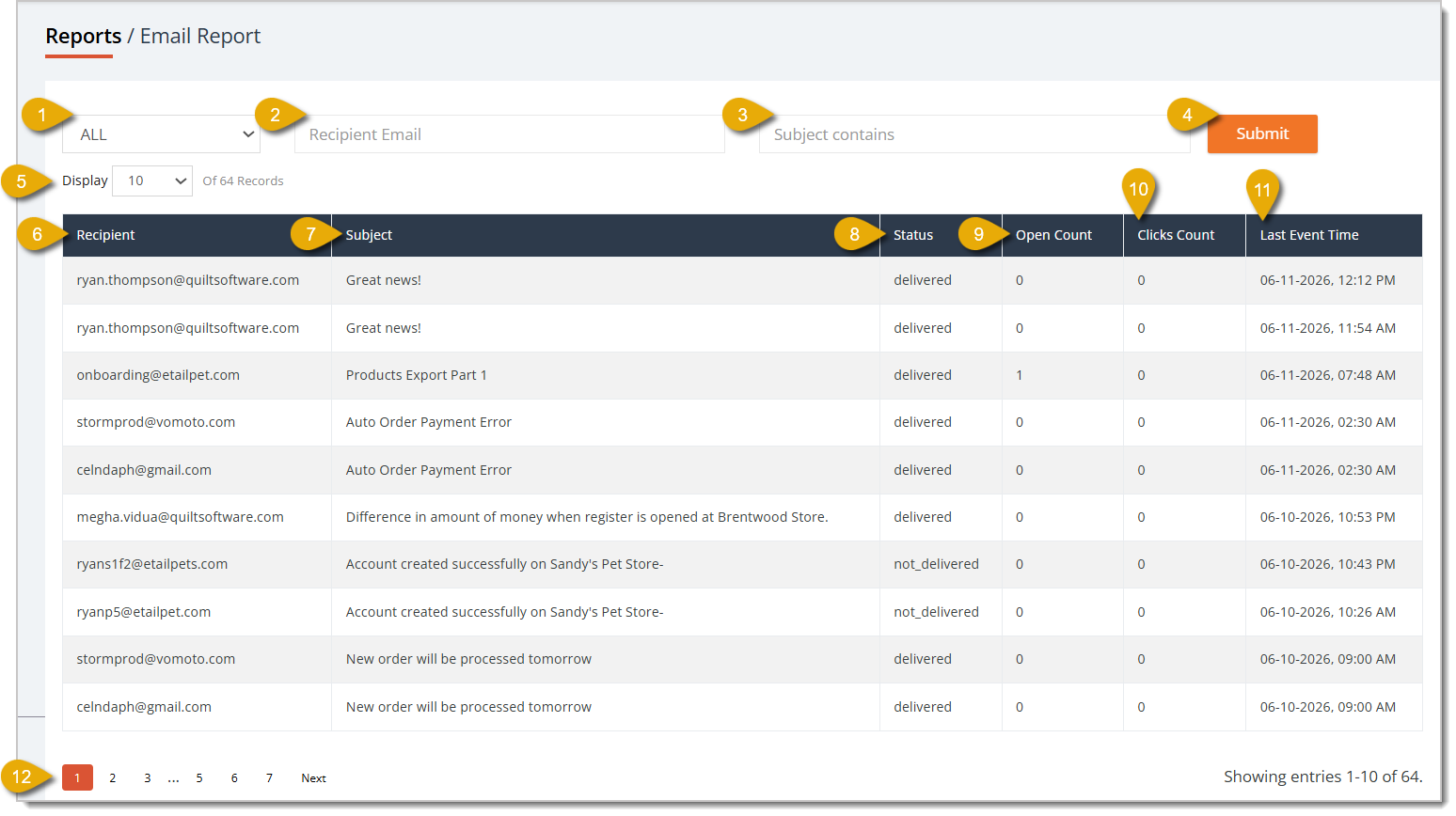
- Status Filter — You can select from All, Processing, Delivered, and Not Delivered in the drop-list to filter the records in the table to that status.
- Recipient Email Filter — You can enter a recipient's email address in this field to find emails sent to that address.
- Subject Filter — You can enter an email subject in this field to find emails with that subject line.
- Submit — Click on Submit after entering any filters to narrow down the table's records.
- Display Number of Records — You can select to show 10, 20, 50, 100, or 1,000 records per page.
- Recipient Column — In this column, you can view the email address that received each email.
- Subject Column — In this column, you can view each email's subject line.
- Status Column — In this column, you can view the status of the email. Each status is:
- Processing — The email is still being processed.
- Delivered — The email has been delivered to the recipient.
- Not Delivered — The email was not delivered; check that the recipient's email address is correct.
- Open Count — This column displays the number of times this email was opened by recipients.
- Clicks Count — This column displays the number of times people clicked on this email's contents.
- Last Event Time — This column displays the last date and time someone interacted with the email.
- Navigate Pages — If your email records span multiple pages, you can click on a Page Number to skip to that page. You can also navigate by clicking on Next or Previous.
Related Topics
Reports Overview
Admin Dashboard
Sales and Refund Reports
Online Reports
Discount and Promotional Reports
Customer Reports
Frequently Asked Questions
Q: I have a question, but I can't find my answer here. How do I get more assistance?
A: You can ask any question at the number listed here. Contact our support team at (323) 370-0738 for the U.S. and (888) 370-2363 for Canada.
💵 The Cost of Goods Sold (COGS) is the amount that you've paid for products that are no longer in y
📃 View your Sales and Refund reports to get closer insights into your store's activities. This arti
📃 View your Sales and Refund reports to get closer insights into your store's activities. This arti







Is this page helpful?
×Help us improve our articles