Use Reputation Management to connect your Google Business Profile account directly in eTailPet so you can view and manage Google reviews without leaving your retailer dashboard. Take a look at what this can do for you!
Work With Reviews in the Admin
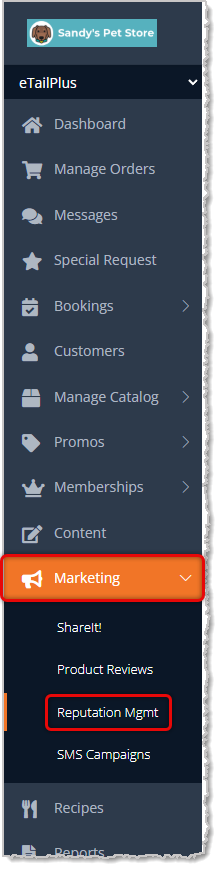
To begin working with your Reputation Management, go to Marketing in the main menu on the left and click on Reputation Management. Please note, Google My Business is now called Google Business Profile.
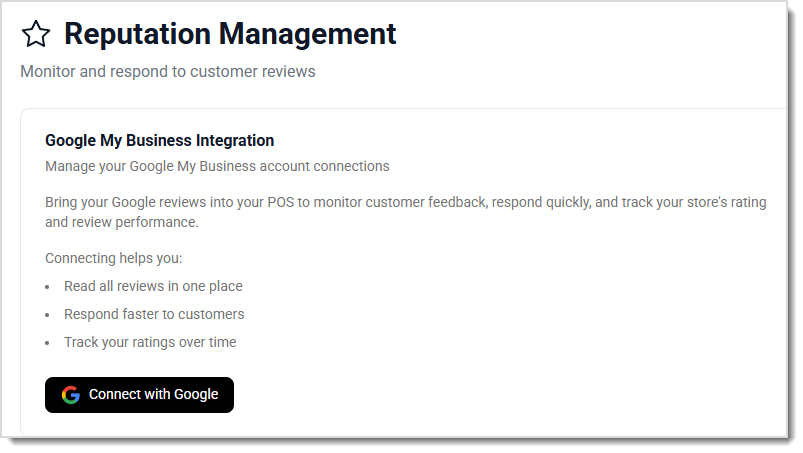
Follow the prompts from Google to connect your Google Business Profile. If you don't yet have one, click here to set it up.
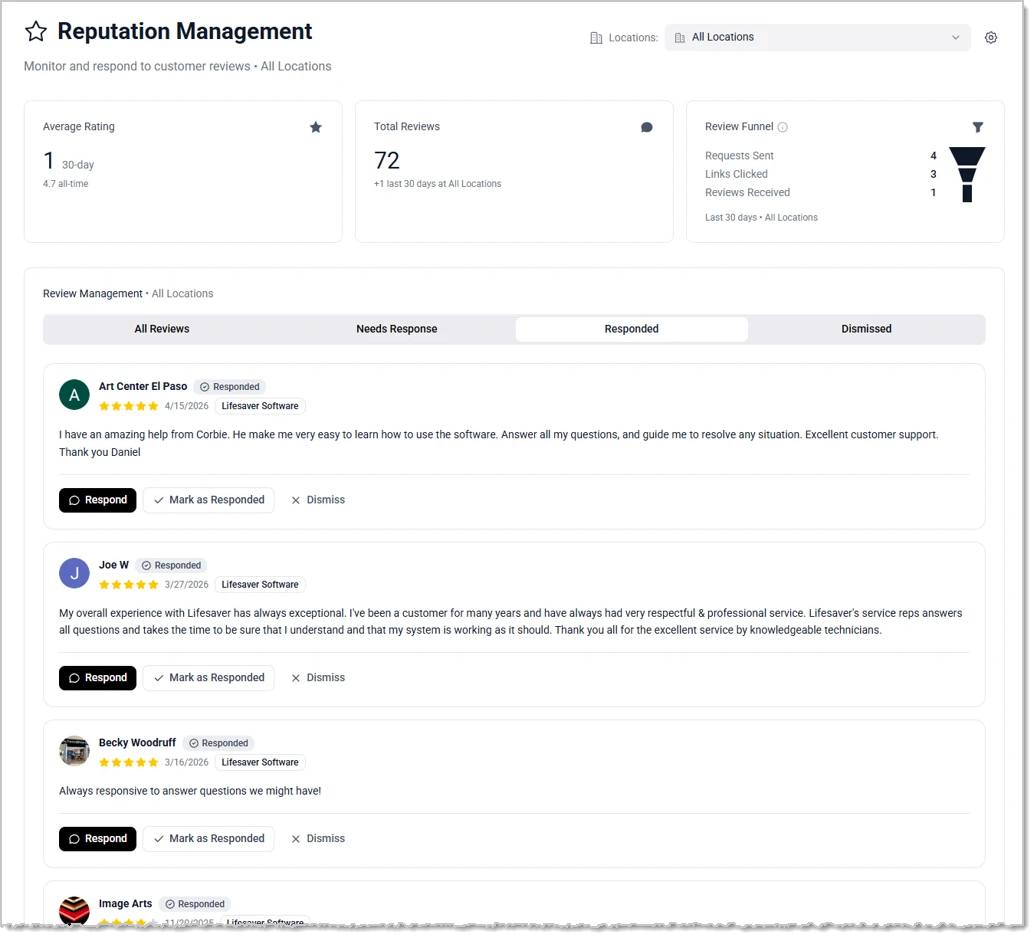
Once your account is connected, you'll see the Reputation Management page, and if you haven't gotten any reviews on your Google Business Profile, the page will be blank, as below. Here are the functions of the page:
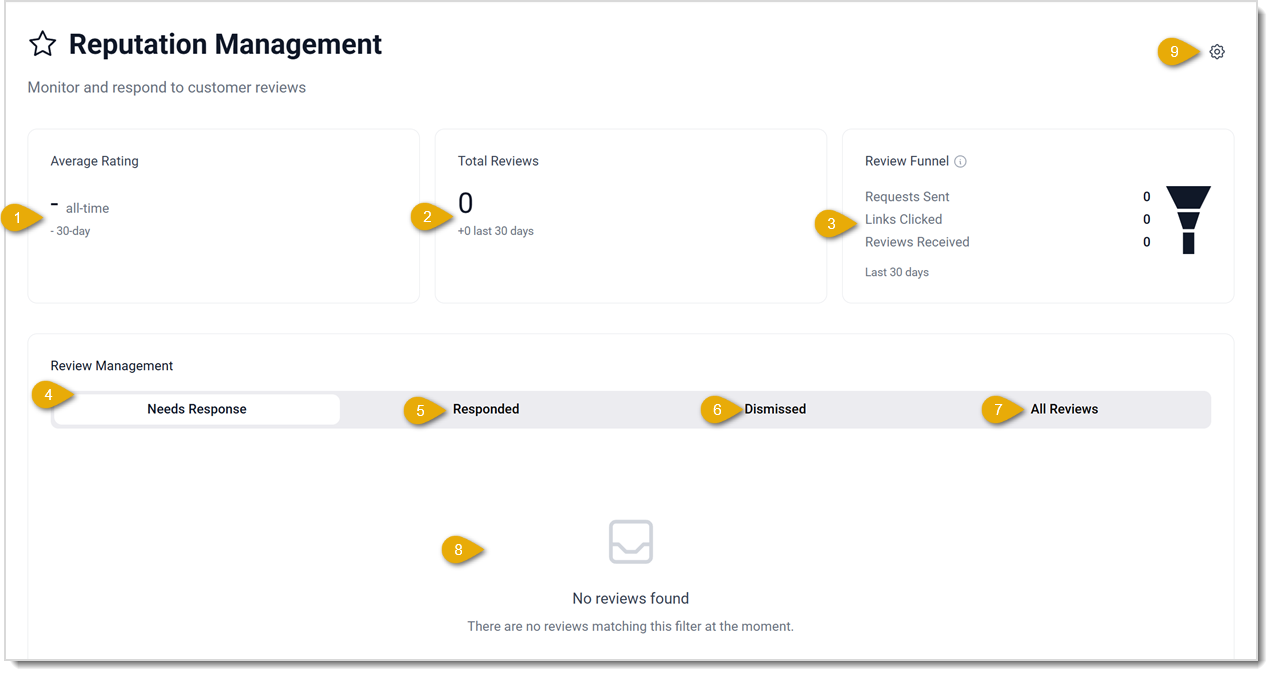
- Average Rating — Over time, your Average Rating will begin to solidify. Of course you want your average to be as close to 5-stars as it can be. This area will also show you your average from the last 30-days.
- Total Reviews — The total number of all time reviews displays here. You will also see how many you've had in the past 30-days.
- Review Funnel — Review data tends to minimize the further it moves from the customer to you, so it is represented by a funnel. You can expect the highest numbers to be at the top and as you move down, they will reduce. You will see your Review Funnel for the past 30-days here, so you'll see the total number of review Requests Sent at the top, the number of Links Clicked by customers, and the number of Reviews Received at the bottom.
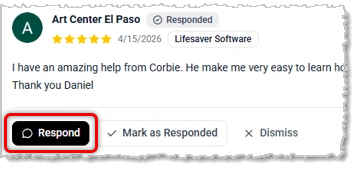
- Needs Response — By default, this tab will be first and you will be able to address any 1-star or 2-star reviews. Each review has a Respond button below the comment. Click that button to respond and your response will sync to your Google Business Profile. You are also able to click the button for the review to Mark as Responded if you don't need to send a reply but want to keep it with the message to which you have responded.
- Responded — For any reviews to which you have responded, the system will track them in this tab. If the customer changes their star rating, you'll be able to see.
- Dismissed — For any reviews you have Dismissed, the system will keep them in this tab for you. Each review has a Dismiss button below the comment, as pictured above.
- All Reviews — Each review your business receives is listed in this tab with the most recent at the top.
- Review List — Once you start receiving reviews, they'll be listed for you in descending order with the most recent at the top and will look something like this:
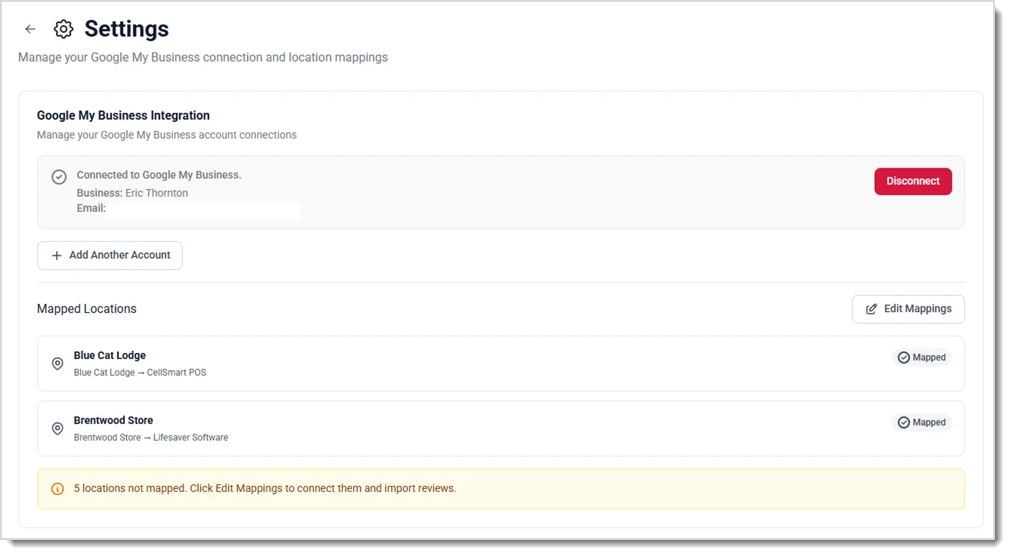
- Reputation Management Settings — In your Settings, you'll see the Google Business Profile connected to the system. You'll also be able to click the button to Disconnect it if you need to change to a different account. You can add as many accounts as you might need using the Add Another Account button, for example if you have separate accounts for different Locations. Click the Edit Mappings button to map a Location to the appropriate Google Business Profile.
Responding to a Review
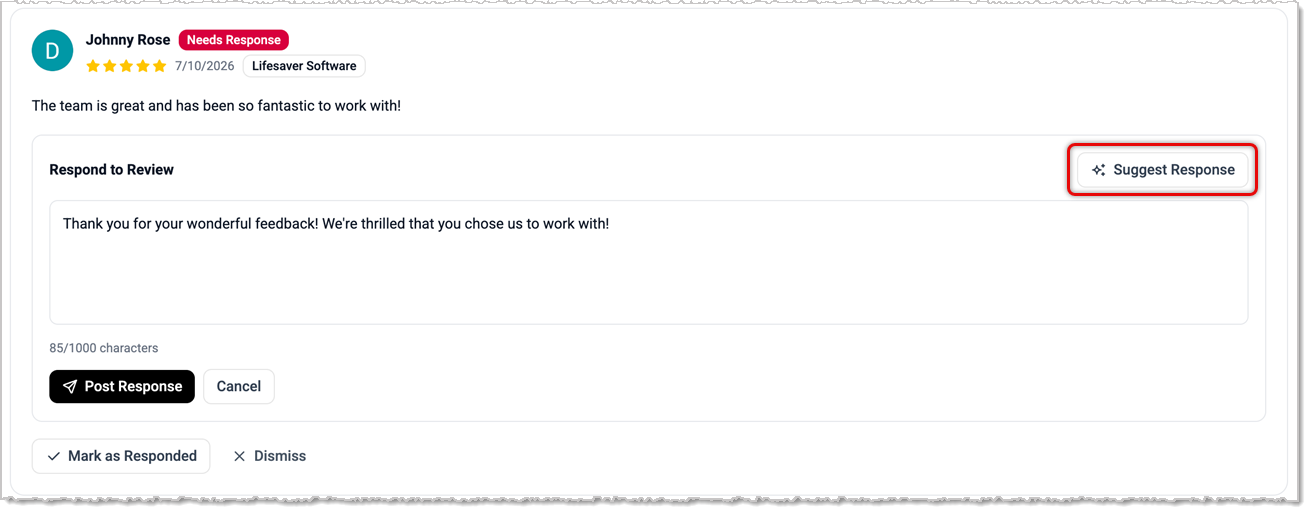
When you click to Respond to a review, the section will expand and give you a text-entry field. If you want an AI suggestion for a response, click the Suggested Response button, and after thinking, the AI will populate its suggestion. After customizing your response, click the Post Response button to send it. The response will sync to your Google Business Profile and the reviewer will be able to see it shortly.
Best Practices
Once you've set it up, your Reputation Management page will become your hub for monitoring customer sentiment that comes through Google. Customer reviews are often one of the first things shoppers notice when comparing businesses online. You will want to use this page to:
- Review feedback customers have posted on Google.
- Track recent review activity.
- Stay organized when monitoring your public reputation.
- Respond more efficiently as part of your regular marketing workflow.
Here's are some best practices you should adopt to make the most of your reputation:
- Check reviews regularly so you can respond in a timely fashion.
- Use customer feedback to identify service wins and recurring issues that you should address.
- Keep responses professional, helpful, and concise.
- Coordinate review monitoring with the rest of your marketing activity.
Related Topics
Google Business Profile
Product Reviews
Messaging Assistant
SMS Campaigns
Frequently Asked Questions
Q: Do I need a Google Business Profile to use this feature?
A: Yes. This feature must integrate with your Google Business Profile in order to work with reviews that come through Google.
Q. Where is Reputation Management in the dashboard?
A. It is located under Marketing in the main navigation menu on the left.
Q. Can I manage Google reviews without leaving eTailPet?
A. Yes. The purpose of this feature is to let you view and manage Google reviews directly within eTailPet.
Q: I have a question, but I can't find my answer here. How do I get more assistance?
A: You can ask any question at the number listed here. Contact our support team at (323) 370-0738 for the U.S. and (888) 370-2363 for Canada.







 Oct 19, 2026
Is this page helpful?
×Help us improve our articles