






Themes
🎨 You can edit the color and font themes of your eTailPet website by going to Themes. Read on to se
 Jun 09, 2026
🖥️ Quick Select in the New Sale screen lets you add products to a transaction by using a button instead of scanning in a product or typing its name / UPC. This is helpful for items that don't have scannable barcodes. For example, you can use Quick Select to enter a donation into a transaction. This article guides you through the process of adding items to the Quick Select menu so cashiers can use it.
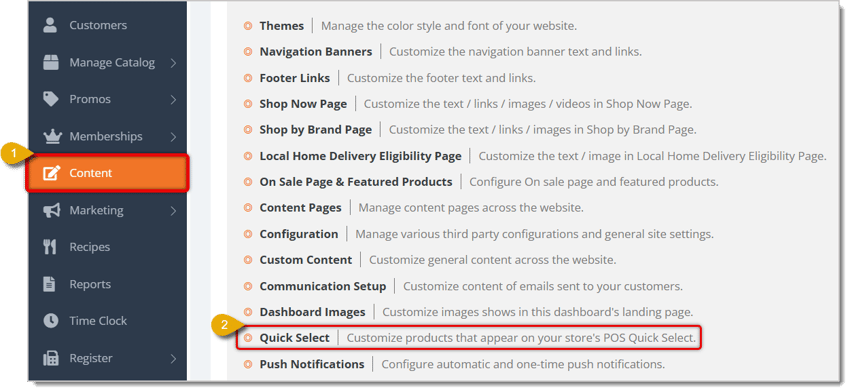
Here is how to configure the Quick Select menu for the New Sale screen:
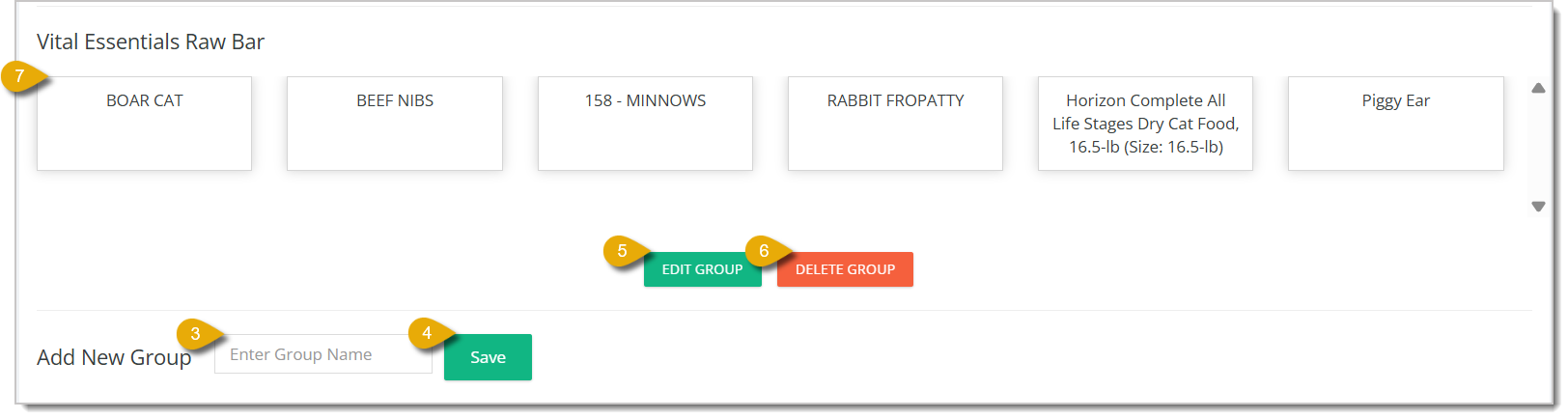
When you click on Edit Group, it will open a window where you can add and edit the items of a group. Here is everything you can do in this window:
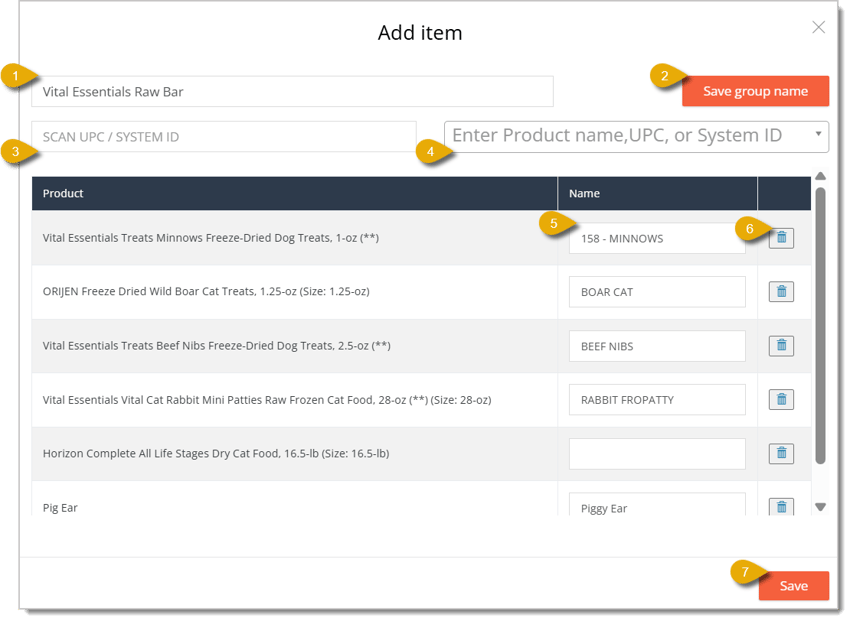
You can edit the group name by typing its new name into the text field that is towards the upper left of the window.
Click on the Save Group Name button after typing in the new name to update it.
To scan an item into the group, click into the Scan UPC / System ID field and scan the item's barcode.
To instead add the item by selecting it, you can type in the product's name, UPC, or system ID. Matching results will appear in a drop-list below the field.
You can edit a product's name by entering its new name in the text field; this field is to the right of the product's table entry.
To remove a product from the group, click on the Trash Can icon on the right of the product's table entry.
Q: I have a question, but I can't find my answer here. How do I get more assistance?
A: You can ask any question at the number listed here. Contact our support team at (323) 370-0738 for the U.S. and (888) 370-2363 for Canada.
Is this page helpful?
×Help us improve our articles