






Astro Loyalty Troubleshooting
⭐ If you're running into problems with the Astro Loyalty integration, there are ways to troubleshoot
 Aug 19, 2026
All Software as a Service (SaaS) systems experience down time and outages, and like all such companies, eTailPet works hard to make sure that the system is up and working for you as much as possible. Your internet service provider also may be down from time to time, and other issues may cause your service to go down. This article will offer you some resources and options to help resolve these problems or prevent them from happening. Take a look!

Here is a live view of our System Status page. You can check this any time to see if a service outage is from our side for some reason:
All of the major mobile phone providers offer Failover Internet service as a backup in case your primary ISP goes down. These utilize 4G LTE and/or 5G as a wireless means of keeping your business running when unexpected disruptions occur. It uses a device that is connected in line with your internet router. As soon as it detects an outage, it automatically switches over. This will ensure that if your regular internet fails, you will always have a backup through cellular data that will keep your POS operable. This is the preferred method of backup because it will not bypass any security measures or equipment that are already in place, and it will provide superior service over other options.
A wireless hotspot solution utilizes 4G or 5G cellular data to provide temporary internet bandwidth in an outage. Most cell phones today are capable of creating a hotspot if it is included in your mobile plan, but dedicated hotspot devices will work best.
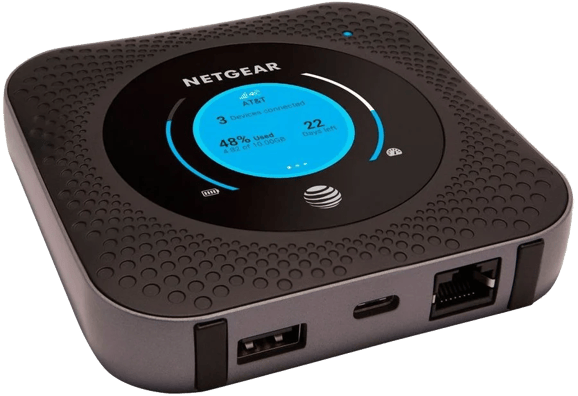
Mobile providers now also offer hotspot solutions that include a wireless device separate from your cell phone, like the one pictured above. While this is similar to the 4G LTE failover, these standalone hotspot devices are not connected to your network, so they may not provide the security you need. However, as a temporary measure to keep your POS running, it may be an affordable option. If you are using your card terminal to process payments, they will need to be on the same Wi-Fi connection and stay connected; otherwise, you will need to reconnect your terminal.
If you are unable to use your POS terminal because of a power outage, you still have options. If you still have internet, you can use a phone or tablet to connect to your e-commerce site. It can be a great training opportunity to show your customers how they can order online. Items can be scanned in the search field using the camera icon, and then the customer can ring up items through your storefront website using their own phones, pay, and go!
If you’re using Stripe or Adyen, you can also use the eTailPet Payments Virtual Terminal as well. This page allows transactions to be accepted outside the point-of-sale. This page is disabled by default and will automatically be enabled once certain conditions are met through consistent sales activity. You can find out more about it in the link below.
Portal Virtual Terminal Page
Be sure to note the quantity (QTY) of items, their UPCs, Tax, and any other relevant information so you can enter it into your POS and inventory can be adjusted later.
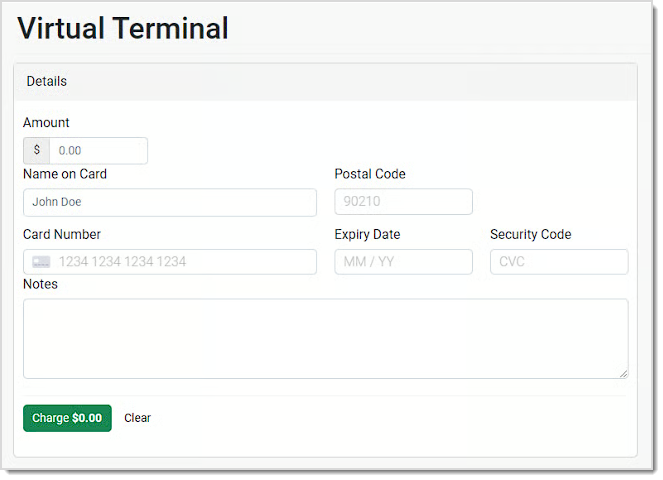
💡Please Note: Although the Virtual Terminal might get you by in an outage, sales that you capture here do not reduce your Quantity on Hand for inventory and will not be reflected in your system reports. You will need to make manual adjustments to QoH if you use this area for transactions. You will also need to manually calculate and add Tax, as the terminal only has an area for the Amount you wish to charge.
Hardware Setup and Troubleshooting
Basic Hardware Troubleshooting for Card Readers
Payments Hardware Network Requirements
Q: I have a question, but I can't find my answer here. How do I get more assistance?
A: You can ask any question at the number listed here. Contact our support team at (323) 370-0738 for the U.S. and (888) 370-2363 for Canada.
Is this page helpful?
×Help us improve our articles