






Booking Schedule
📆 The Schedule page of the Booking area in the eTailPet system allows you to view, create, and mana
 Jul 28, 2026
🐶 The Extended Behavior Information page allows you to gather extra details from customers about a pet's behavior, personality, and history when they book a service at your store. Settings on this page include enabling questions about personality descriptors, behavioral triggers, and biting history. This article shows you how to configure these settings. Learn how to gather behavior insights from your customers!

To access the Extended Behavior Information page, do the following:
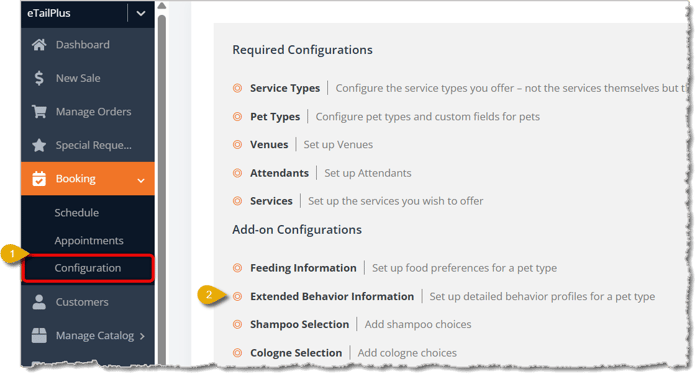
Using the left-hand main menu, go to Booking > Configuration.
On the Booking Configuration page, under Add-on Configurations, click on Extended Behavior Information.
Here is how to work with the settings on this page:
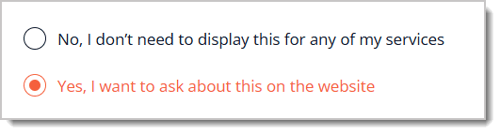
Yes, I want to ask about this on the website / No, I don't need to display this for any of my services — You can click on No or Yes at the top of the page to indicate whether or not want to ask customers for extended behavior information for any of your services. If you select Yes, the system displays configuration sections for Personality, Triggers, Threat Responses, and Biting History.
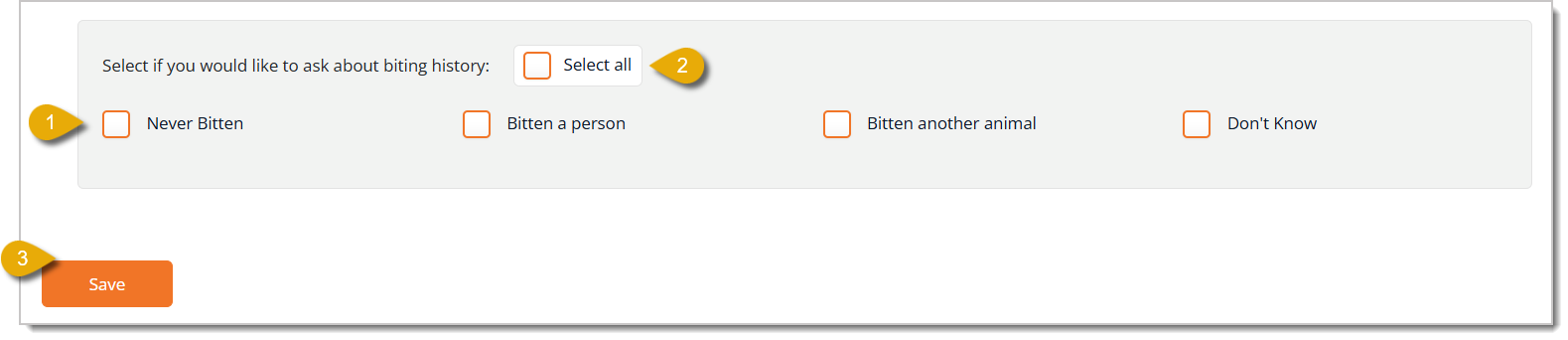
Please Note: Remember to click on the Save button at the bottom of this page after you've edited any Extended Behavior Information configurations, or the eTailPet will not save and update your changes.
You can show customers personality descriptors to help them describe their pet's personality ahead of the appointment.
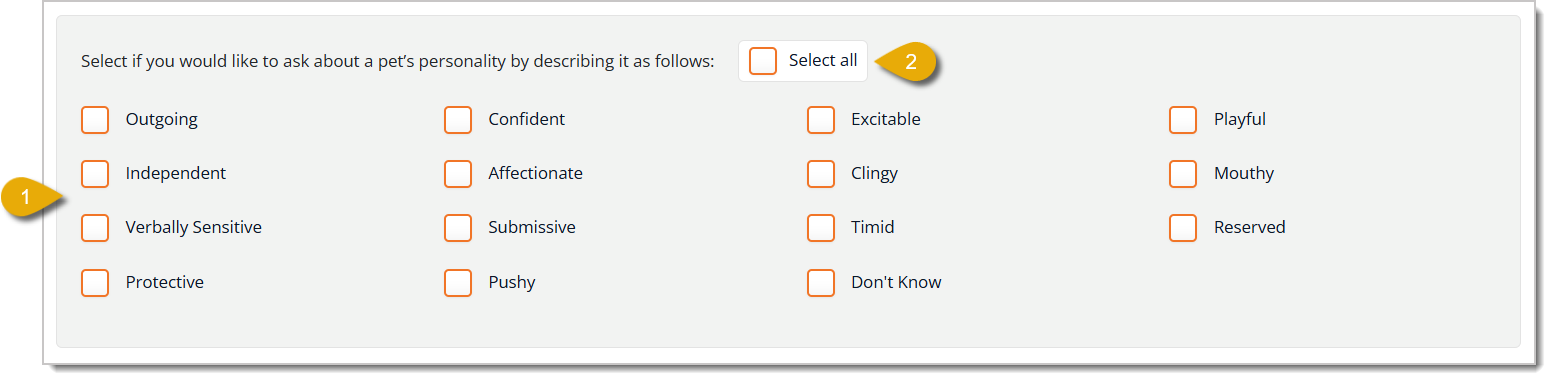
Personality Descriptors — Check the box next to each personality trait you want customers to be able to select to describe their pet's personality. Your options are: Outgoing, Confident, Excitable, Playful, Independent, Affectionate, Clingy, Mouthy, Verbally Sensitive, Submissive, Timid, Reserved, Protective, Pushy, and Don't Know.
Select All (Personality Descriptors) — If your pet will need a lot of descriptors, it might be easier to check this box to select every descriptor in the personality section and then un-check the ones that don't apply.
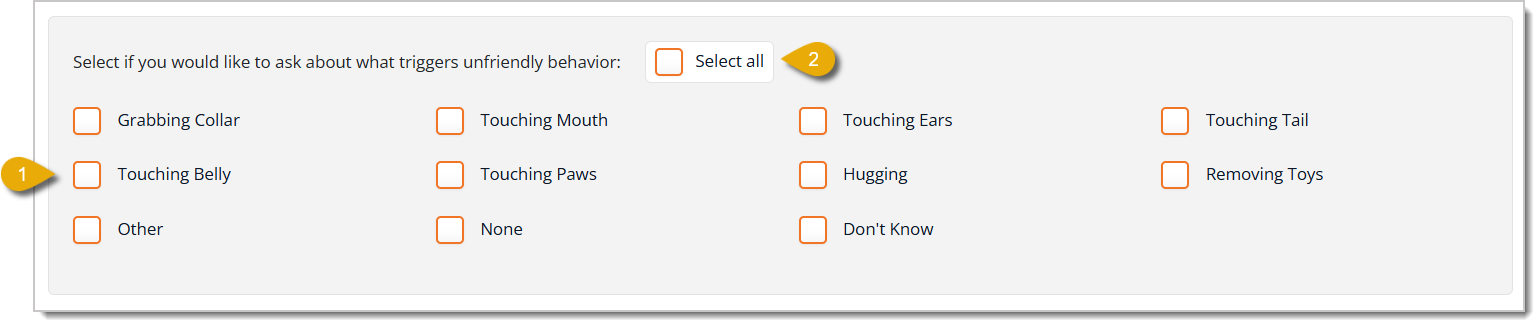
You can allow customers to select actions that would cause their pets to act unfriendly during the service. This helps attendants know what to expect and avoid.
This configuration section is to help customers mark how their pets behave when they feel threatened. This helps attendants know what to expect before the appointment.

This section lets you configure what you ask about a pet's biting history. This lets you set expectations ahead of time and choose whether or not to approve a booking request.
Q: What happens if I select No, I don't need to display this for any of my services?
A: The system hides the personality, triggers, threatened behavior, and biting history sections. Customers will not be asked any extended behavior questions when they book online.
Q: Do I have to configure all four sections (personality, triggers, threatened behavior, and biting history)?
A: No. You can simply check only the options you want to ask pet parents about in each section. You can leave any section without any boxes checked if you don't want to ask about that topic.
Q: Will my changes save if I navigate away without clicking Save?
A: No. You must click the Save button on the bottom left of the page for your online booking website to update.
Q: I have a question, but I can't find my answer here. How do I get more assistance?
A: You can ask any question at the number listed here. Contact our support team at (323) 370-0738 for the U.S. and (888) 370-2363 for Canada.
Is this page helpful?
×Help us improve our articles