Settings: Pantries Tab

Aug 06, 2026
The Pantries tab of the Settings area allows you to create and manage pantry locations, including each pantry's address, contact information, and frozen-item handling. A Pantry can be a location external to your store(s) where you keep supplies and food for the pet services you provide. You can add a new pantry, update the details of an existing pantry, or remove a pantry. See how easy it is to set up a Pantry!
Pantries
To access the Pantries tab, do the following:
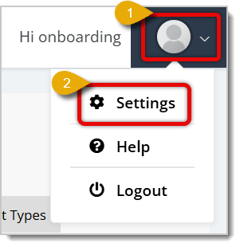
- Click on User icon in the upper right corner of the page to open the menu.
- Click on Settings.

- On the Settings page, click to open the Pantries tab.
From this page you can view any saved Pantry locations, add a new one, or open an existing card to edit or delete it. Here's how to use this page:
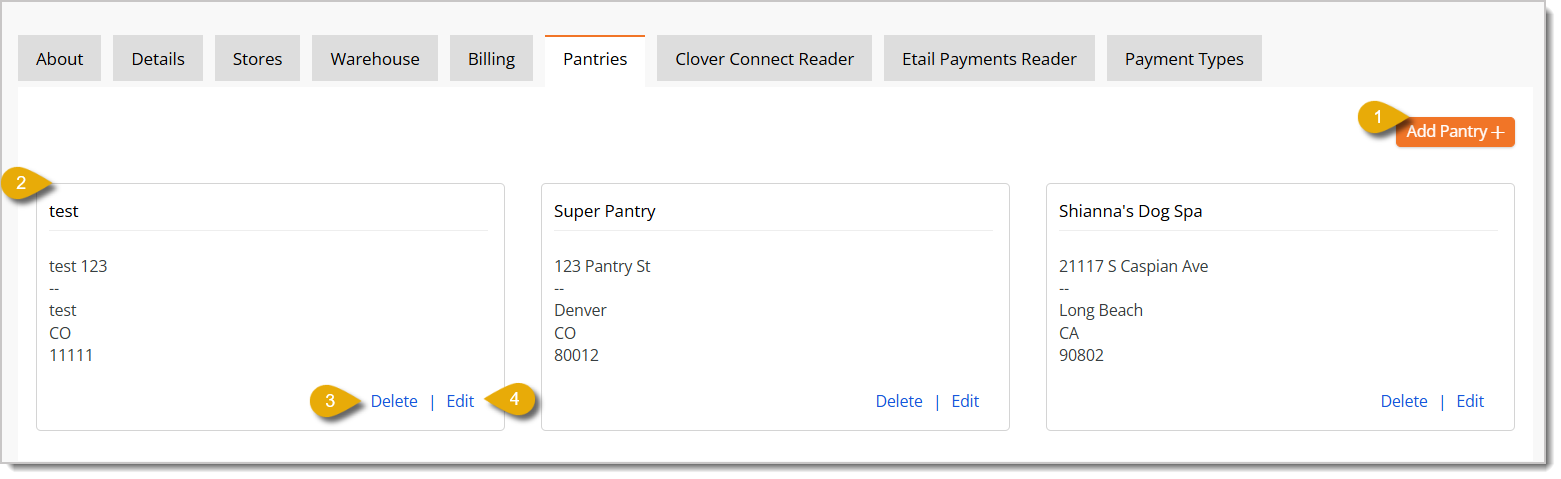
- Add Pantry — Click this button to set up a new Pantry location. Read the Add/Edit Pantry Details section below for more information.
- Pantry Cards — Each card displayed on the page shows an existing Pantry's name and address.
- Edit — Click this link on a pantry card to edit that pantry's details. Read the Add/Edit Pantry Details section below for more information.
- Delete — Click this link on a pantry card to remove the Pantry from your account.
Add/Edit Pantry Details
Clicking Add Pantry or Edit opens the same form, but when you're editing, the form will be pre-filled with the existing details. Here is how to fill out the form:
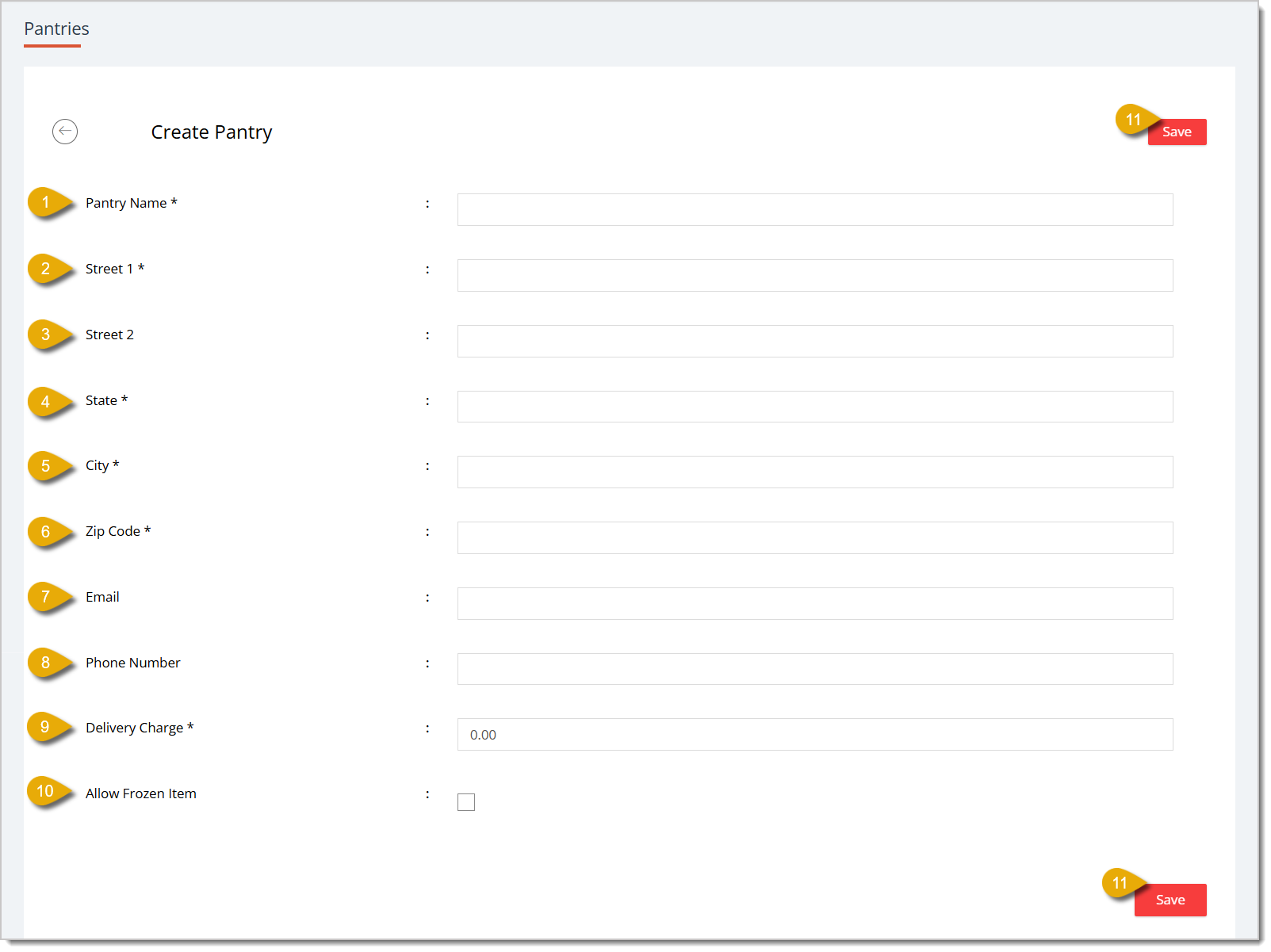
- Pantry Name* — Enter the name of the pantry.
- Street 1* — Enter the pantry's primary street address.
- Street 2 — Enter any additional address information, such as a suite or unit number.
- State* — Enter the state of the pantry's location.
- City* — Enter the city of the pantry's location.
- ZIP Code* — Enter the pantry's ZIP code.
- Email — Enter a contact email address for the pantry.
- Phone Number — Enter a contact phone number for the pantry.
- Delivery Charge* — Enter the dollar amount charged for delivery orders from this pantry, if any.
- Allow Frozen Item — Check the box to allow frozen product orders to be sent from this pantry, if any.
- Save — Click this button to save the pantry's details. This is located both at the top and bottom of the page.
* Required Field
Related Topics
Settings: Warehouse Tab
Settings: Stores Tab
Settings: Details Tab
Frequently Asked Questions
Q: What is a Pantry used for in the eTailPet system?
A: A pantry is most commonly a location that serves as a storage area to provide your store(s) with pet food and supplies for your services.
Q: I have a question, but I can't find my answer here. How do I get more assistance?
A: You can ask any question at the number listed here. Contact our support team at (323) 370-0738 for the U.S. and (888) 370-2363 for Canada.
If the need to change the bank account that your payouts are deposited in a new bank account can be
🏬 The Warehouse page in Settings allows you to view and manage any warehouse locations included in
The About tab on the Settings page of the eTailPet system displays the profile details for the logge







Is this page helpful?
×Help us improve our articles