






Holding and Resuming Transactions
Sometimes you have to put transactions on hold so the customer can come back later to complete it. T
 Apr 30, 2026
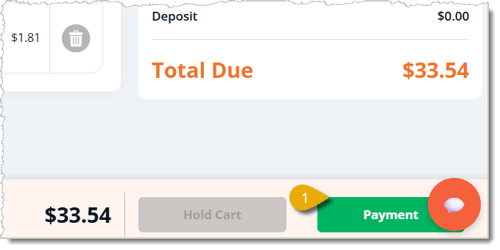
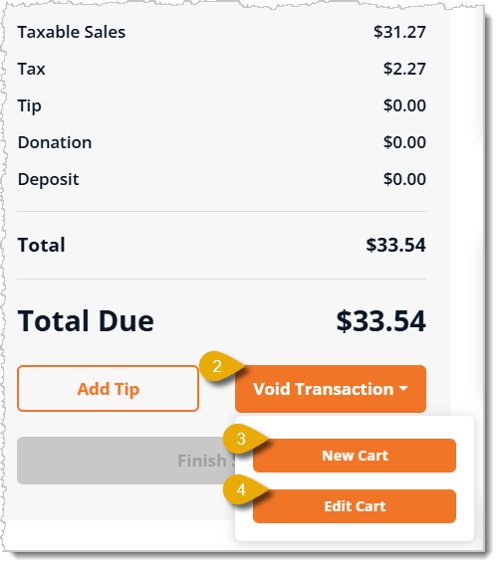
😼 If a customer no longer wants their items, or you need to remove or add items, you can use the Void Transaction button in the New Sale area. See how easy the eTailPet has made it for you!
Boss Quote
Make sure your human understands the steps they need to do to void a transaction or edit it whenever needed. It is also imperative on pain of the death of a thousand claws that kitty treats should never be voided. Also that any doggy items can and should be voided at will.
— Felicity, Scranton, PA
Q: I have a question, but I can't find my answer here. How do I get more assistance?
A: You can ask any question at the number listed here. Contact our 24/7 support team at: (323) 370-0738 for the U.S., and (888) 370-2363 for Canada.
Is this page helpful?
×Help us improve our articles