






Payments Bank Account Update
If the need to change the bank account that your payouts are deposited in a new bank account can be
 Aug 13, 2026
⭐ You can opt in to Google Customer Reviews, which is a free service that lets you collect customer feedback and reviews for online purchases.
Click here to see an overview of Google Customer Reviews.
Click here to see the Google Customer Reviews FAQs.
When you participate in Google Customer Reviews, you can also add a badge with the Google brand and your rating to your website.
⚠️Please Note: Since this is a third-party integration, we don't have control over the programming on Google's end. eTailPet does not provide support for third-party applications.
You first have to sign up for Google Merchant to get access to Google Customer Reviews. Click here to learn more about registration.
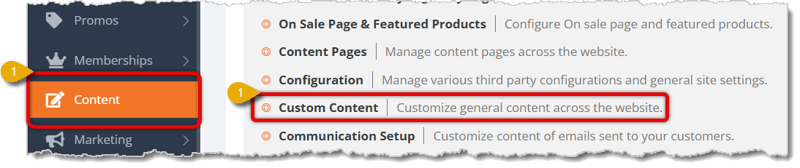
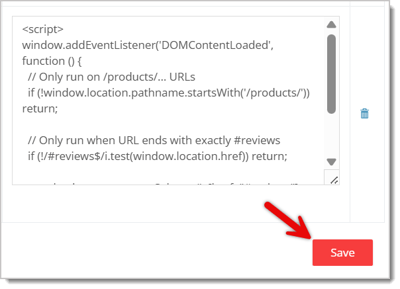
To integrate the Customer Reviews with your eTailPet storefront website, you will need to copy and paste special code from Google into your Checkout page. Here's how:


<!-- /checkout/thank-you/ --><!-- / --><!-- /checkout/thank-you/ --><!-- BEGIN GCR Opt-in Module Code --><script src="https://apis.google.com/js/platform.js?onload=renderOptIn" async defer></script><script> var customer_email = "" var first_order_id = "" customer_email = (""); first_order_id = (""); // Generate expected delivery date (tomorrow by default) var expected_delivery_date = new Date(); // Edit +1 to change offset for delivery date expected_delivery_date.setDate(expected_delivery_date.getDate() + 1); expected_delivery_date_str = [expected_delivery_date.getFullYear(), ('0' + (expected_delivery_date.getMonth() + 1)).slice(-2), ('0' + expected_delivery_date.getDate()).slice(-2)].join('-'); window.renderOptIn = function () { window.gapi.load('surveyoptin', function () { window.gapi.surveyoptin.render( { // REQUIRED (Replace ######### with your merchant id from Google Merchant) "merchant_id": #########, "order_id": first_order_id, "email": customer_email, "delivery_country": "US", "estimated_delivery_date": expected_delivery_date_str, }); }); }</script>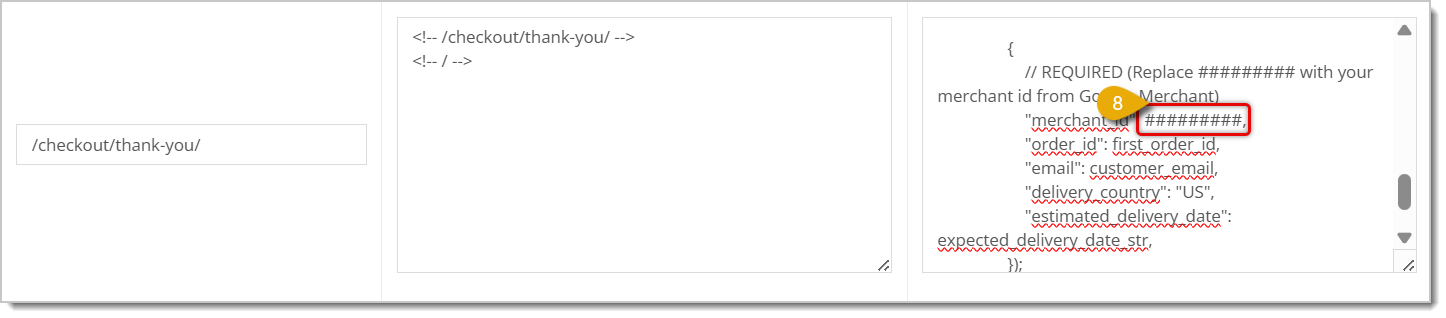
Customers of your e-commerce website will now be prompted to leave a review for your store after they check out.
When you add the badge code to your website, you'll see a badge similar to the following (rating value may vary):
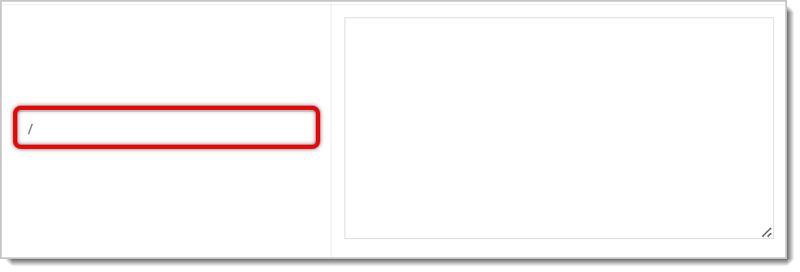
<!-- /google-merchant-badge/ --><!-- / --><!-- / --><!-- Badge setup --><script src="https://apis.google.com/js/platform.js?onload=renderBadge" async defer></script><script> window.renderBadge = function() { var ratingBadgeContainer = document.createElement("div"); document.body.appendChild(ratingBadgeContainer); window.gapi.load('ratingbadge', function() { // Replace ######### with your merchant id from Google Merchant window.gapi.ratingbadge.render(ratingBadgeContainer, {"merchant_id": #########}); }); }</script>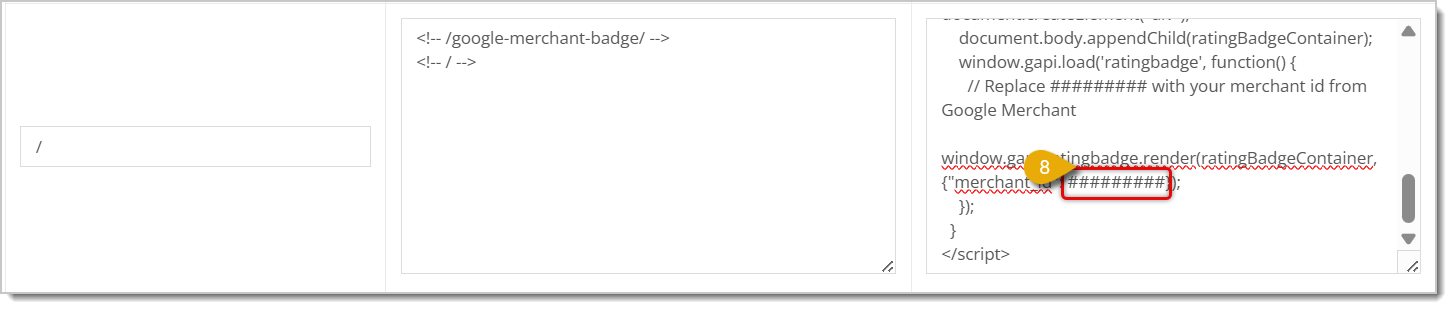
Your e-commerce website will now display a Google-branded badge with a seller rating, if applicable.
Q: Is Google Customer Reviews a paid feature?
A: No, it's free. You just need to register for Google Merchant first to get access.
Q: What if I run into an issue with the Google-provided code itself?
A: eTailPet doesn't provide support for third-party integrations like this one, since we don't control Google's side of the code. Reach out to Google Merchant support directly for help with that.
Q: Will my seller rating always show up on the badge?
A: Not necessarily. In most cases, Google requires at least 100 reviews in a given country over the past year before a seller rating will display.
Q: What exactly do I need to replace in the code before pasting it in?
A: Replace the ######### placeholder with your actual Google Merchant ID in both the opt-in code and the badge code. Just make sure not to delete the comma that follows it in the opt-in code.
Q: Can I add both the review opt-in prompt and the rating badge?
A: Yes — they're two separate setups (Step 2 and Step 3) and you can add both to your site.
Q: I have a question, but I can't find my answer here. How do I get more assistance?
A: You can ask any question at the number listed here. Contact our support team at (323) 370-0738 for the U.S. and (888) 370-2363 for Canada.
Is this page helpful?
×Help us improve our articles